

In short
For most small business websites, tawk.to AI Assist and Tidio are the strongest starting points: both have free plans, learn from your website and pair the AI with live chat, so a person can step in (on tawk.to, handover from the AI starts on the paid AI Growth plan). If the AI should answer on its own at a predictable price, Jotform AI Agents (billed per conversation) and Chatling (200 free AI credits a month) are good fits; Chatbase suits one agent across your website and messaging apps, and SiteGPT suits large sites with a lot of documentation. All prices were checked on each vendor's pricing page on October 7, 2026.
- Vendors count AI usage in very different units: conversations, messages, credits that depend on the AI model, resolutions or widget views. Price each tool at your own monthly chat volume.
- Free plans with a monthly AI allowance (as of October 7, 2026): Chatling, tawk.to AI Assist, Jotform AI Agents, Dante AI, Chatbase and Elfsight. Tidio's free AI allowance is one-off.
- Live chat plus AI in one widget: Tidio, tawk.to, Boei and Crisp. Support-team platforms such as Intercom Fin and Zendesk charge per seat plus per resolution.
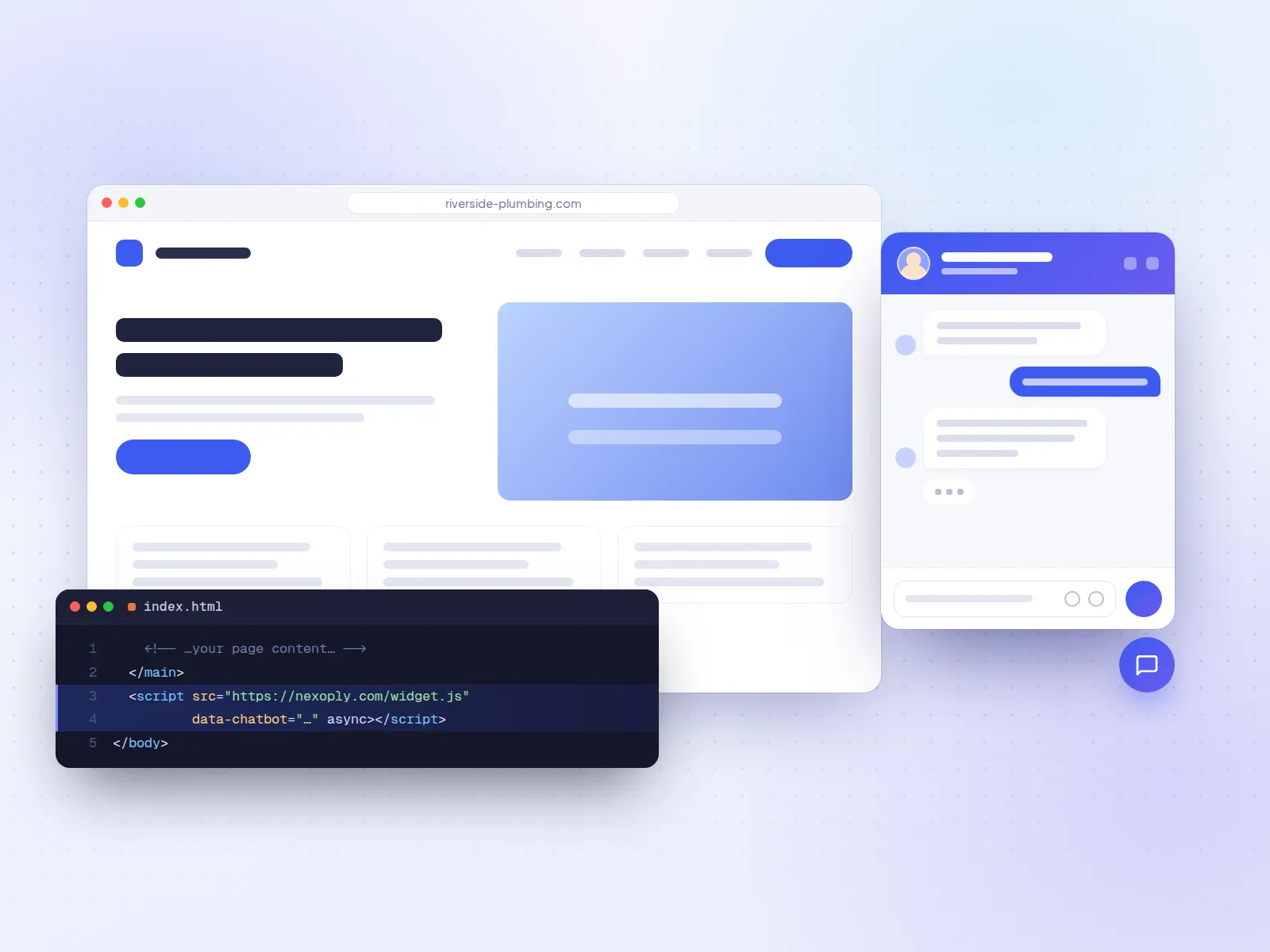
- Almost every tool installs with one copied script tag; tawk.to, Jotform, Boei, SiteGPT, Dante AI and Elfsight also have WordPress.org plugins.
- Nexoply, which publishes this guide, makes an AI assistant for websites with live chat (and WhatsApp on every paid plan) and is described separately, outside the ranking.
How we chose
This guide answers one question: which AI chatbot should a small business put on its website to answer visitors from its own content? On October 7, 2026 we read each vendor's pricing page, and its help center or plugin listing where needed. We did not run our own accuracy tests, so the facts below are what each vendor publishes. We ranked tools on five criteria, in this order:
- Answers from your own content: it learns from your website, files and Q&A, and can stick to them. We looked at how it imports your pages and whether it re-reads them when they change.
- Price predictability: whether the AI is included or an add-on, what the billing unit is, and what removing the vendor's branding costs.
- Ease of setup: a business owner can set it up and install it without a developer (a script tag or a plugin).
- Free plan or trial: whether you can try it on your real site, and whether the free AI allowance is monthly or one-off.
- Live-chat option: whether a person on your team can take over the chat when needed.
General assistants such as ChatGPT, and platforms built mainly for support teams or developers, are listed under "Also considered" rather than ranked. Prices change often: we say whether each one is billed monthly or annually, and link every pricing page.
Comparison table
- Tooltawk.to AI Assist
- Best forFree live chat with AI on top
- Free planLive chat free; AI Hobby 100 credits/month
- Entry paid priceAI Growth $29/month billed monthly
- AI billed by1 credit per AI message
- A person can take overYes, from AI Growth
- ToolTidio (Lyro)
- Best forSmall teams and online shops
- Free plan50 conversations/month; 50 Lyro conversations one-off
- Entry paid price$29/month billed monthly, plus Lyro from $39/month
- AI billed byLyro conversations (add-on)
- A person can take overYes
- ToolJotform AI Agents
- Best forBusinesses that use forms
- Free plan100 conversations/month
- Entry paid price$39/month billed monthly ($34 annually)
- AI billed byConversations
- A person can take overNot verified
- ToolChatling
- Best forBuilding and tuning your own bot
- Free plan200 AI credits/month
- Entry paid price$25/month billed monthly ($21 annually)
- AI billed byCredits (0.5 to 25 per reply)
- A person can take overNot verified
- ToolChatbase
- Best forWebsite plus messaging apps
- Free plan50 message credits/month
- Entry paid price$40/month billed monthly ($32 yearly)
- AI billed byMessage credits
- A person can take overInbox from Standard
- ToolBoei
- Best forAI plus many contact buttons
- Free planNo (7-day trial, no card)
- Entry paid price$25/month billed monthly ($19 annually)
- AI billed by1 credit per AI reply
- A person can take overYes
- ToolCrisp
- Best forShared team inbox
- Free planYes, without AI
- Entry paid price$45/month per workspace
- AI billed byAI credits ($5 on Mini)
- A person can take overYes
- ToolDante AI
- Best forLead capture and voice
- Free plan100 credits/month, no card
- Entry paid price$40/month billed monthly ($33 annually)
- AI billed byCredits (1 to 25 per reply)
- A person can take overFrom Advanced
- ToolBotsonic
- Best forSimple paid chatbot
- Free planNo (7-day trial)
- Entry paid price$19/month billed monthly ($16 annually)
- AI billed byMessages
- A person can take overNot verified
- ToolElfsight AI Chatbot
- Best forLow-traffic sites
- Free plan50 messages and 200 views/month
- Entry paid price$6/month billed monthly ($5 yearly)
- AI billed byMessages plus widget views
- A person can take overNot stated
- ToolSiteGPT
- Best forLarge sites and documentation
- Free planNo (7-day trial, card required)
- Entry paid price$59/month billed monthly ($39 annually)
- AI billed byMessages (GPT-4.1 counts 10x)
- A person can take overNot verified
- ToolNexoply (our product)
- Best forAI assistant from your own information
- Free plan50 conversations/month, no card
- Entry paid price$19/month ($190 yearly)
- AI billed byConversations (AI included)
- A person can take overYes, on every plan
| Tool | Best for | Free plan | Entry paid price | AI billed by | A person can take over |
|---|---|---|---|---|---|
| tawk.to AI Assist | Free live chat with AI on top | Live chat free; AI Hobby 100 credits/month | AI Growth $29/month billed monthly | 1 credit per AI message | Yes, from AI Growth |
| Tidio (Lyro) | Small teams and online shops | 50 conversations/month; 50 Lyro conversations one-off | $29/month billed monthly, plus Lyro from $39/month | Lyro conversations (add-on) | Yes |
| Jotform AI Agents | Businesses that use forms | 100 conversations/month | $39/month billed monthly ($34 annually) | Conversations | Not verified |
| Chatling | Building and tuning your own bot | 200 AI credits/month | $25/month billed monthly ($21 annually) | Credits (0.5 to 25 per reply) | Not verified |
| Chatbase | Website plus messaging apps | 50 message credits/month | $40/month billed monthly ($32 yearly) | Message credits | Inbox from Standard |
| Boei | AI plus many contact buttons | No (7-day trial, no card) | $25/month billed monthly ($19 annually) | 1 credit per AI reply | Yes |
| Crisp | Shared team inbox | Yes, without AI | $45/month per workspace | AI credits ($5 on Mini) | Yes |
| Dante AI | Lead capture and voice | 100 credits/month, no card | $40/month billed monthly ($33 annually) | Credits (1 to 25 per reply) | From Advanced |
| Botsonic | Simple paid chatbot | No (7-day trial) | $19/month billed monthly ($16 annually) | Messages | Not verified |
| Elfsight AI Chatbot | Low-traffic sites | 50 messages and 200 views/month | $6/month billed monthly ($5 yearly) | Messages plus widget views | Not stated |
| SiteGPT | Large sites and documentation | No (7-day trial, card required) | $59/month billed monthly ($39 annually) | Messages (GPT-4.1 counts 10x) | Not verified |
| Nexoply (our product) | AI assistant from your own information | 50 conversations/month, no card | $19/month ($190 yearly) | Conversations (AI included) | Yes, on every plan |
Quick picks by need
- Someone on your team answers chats and you want AI for the simple questions: tawk.to (free live chat) or Tidio (stronger for online shops).
- The AI should answer on its own and you want a predictable bill: Jotform AI Agents, billed per conversation.
- You like to build and tweak your own bot: Chatling, or Chatbase if you also want WhatsApp, Instagram or Messenger.
- Customers like to choose WhatsApp, phone or chat: Boei.
- You want visitors' names and phone numbers: Dante AI.
- Very low traffic and the smallest budget: Elfsight.
- A large help center or hundreds of product pages: SiteGPT.
1. tawk.to AI Assist: best free live chat with AI on top
tawk.to is free live chat, ticketing and a knowledge base for any number of agents. AI Assist is its AI chatbot add-on, which learns from your help center, FAQs, website (it crawls your pages) and uploaded documents. It ranks first because it meets all five criteria: it learns from your site, one AI message always costs one credit, it installs with a script tag or a WordPress plugin, the free AI tier renews monthly, and people can answer in the same widget.
- Pricing: live chat is free. AI Assist Hobby is free with 100 message credits a month, 1 AI agent and up to 100 crawled pages. AI Growth $29 a month billed monthly ($290 a year) adds 1,000 credits and escalation to human agents; Business $99 ($990). Removing "Powered by tawk.to" costs $29 a month. tawk.to pricing and AI Assist plans.
- Strengths: free live chat with unlimited agents, the most installed WordPress plugin in this list (100,000+ active installs), multilingual AI chat.
- Considerations: handover from AI to a person starts on the paid AI Growth plan. When credits run out, AI Assist finishes open chats but doesn't join new ones. AI Assist is bought per website.
2. Tidio (Lyro): best for small teams and online shops
Tidio combines live chat, a helpdesk, automation flows and a multichannel inbox with an AI agent, Lyro. Lyro answers from the FAQs, website content and Q&A you give it, and hands the chat to a person when needed. Tidio has e-commerce integrations such as Shopify.
- Pricing: Free with 50 billable conversations a month and 50 Lyro conversations one-off. Starter $29 a month billed monthly ($24.17 billed annually); Growth from $59 ($49.17 annually); Plus from $300. Lyro is an add-on from $39 a month billed monthly ($32.50 annually) for 50 Lyro conversations a month. Branding removal is an add-on from Growth. 7-day trial. Tidio pricing.
- Strengths: people and AI in one widget, store integrations, email, Messenger, Instagram and WhatsApp in one inbox.
- Considerations: conversations, Lyro conversations and automation visitors are metered separately, so the bill grows with traffic, and the free AI allowance doesn't renew. If you only want the site to answer on its own, you also pay for a helpdesk. See Tidio alternatives.
3. Jotform AI Agents: best if you already use forms
Jotform AI Agents run inside Jotform, the form builder. An agent learns from a crawl of your website, documents, text, custom Q&A and your forms, and can fill a form with the visitor during the chat, such as a quote request or a clinic's intake form. It can also run by phone, WhatsApp, Messenger, Instagram and SMS.
- Pricing: free on Jotform Starter with 5 active agents and 100 conversations a month (chat and phone combined), with Jotform branding. Paid plans cover all of Jotform: Bronze $39 a month billed monthly ($34 annually) with 1,000 conversations, Silver $49 ($39) with 2,500, Gold $129 ($99) with 10,000. Branding is removable on every paid plan. Jotform pricing and AI Agents.
- Strengths: billed per conversation, the easiest unit to predict; forms built in; a WordPress.org plugin.
- Considerations: Starter's form limits (5 forms, 100 submissions a month) apply separately. Best value if you use Jotform anyway.
4. Chatling: best no-code builder with a usable free plan
Chatling is a no-code builder for website chatbots, with actions, workflows and dozens of AI models. Paid plans re-sync your knowledge base weekly (Starter) or daily (Growth), so price changes on your site reach the bot without manual work.
- Pricing: Free with 200 AI credits a month, 1 agent and 500,000 characters of knowledge, on the web widget only. Starter $25 a month billed monthly ($21 annually) with 1,750 credits; Growth $75 ($63); Scale $295 ($246). Removing "Powered by Chatling" is a $35/month add-on, or included on Scale. Chatling pricing.
- Strengths: a monthly free AI allowance, over 80 languages, WhatsApp, Instagram, Messenger, Telegram and Slack on paid plans, a 7-day money-back guarantee.
- Considerations: a reply costs 0.5 to 25 credits depending on the model, so credits aren't chats. No WordPress.org plugin; you paste the embed snippet.
5. Chatbase: best for one agent on your website and messaging apps
Chatbase builds an AI agent from a crawl of your website, files, text, Q&A pairs or Notion, and deploys it to a website widget and to WhatsApp, Slack, Messenger or Instagram, with actions and integrations.
- Pricing: Free with 50 message credits a month, 1 agent and 1 MB of training data; free agents are deleted after 14 days of inactivity. Hobby $40 a month billed monthly ($32 yearly) with 700 credits; Standard $150 ($120); Pro $500 ($400). Removing "Powered by Chatbase" is a $99/month add-on; extra agents are $25 a month each. Chatbase pricing.
- Strengths: many sources and channels, a choice of AI models, actions, many languages.
- Considerations: credits are per message and a conversation uses several, so 700 credits is not 700 chats. Branding removal costs more than the Hobby plan, and there's no live-chat inbox below Standard. See Chatbase alternatives.
6. Boei: best AI chatbot with many contact buttons
Boei combines an AI chatbot with live chat, an inbox and a widget with 50+ contact channels such as WhatsApp, phone and email. It learns from website pages, files, FAQ documents, pasted text and a product catalogue. It suits a restaurant where some guests want WhatsApp and others want to call.
- Pricing: no free plan; a 7-day trial without a card, after which the account becomes read-only. Starter $25 a month billed monthly ($19 annually): 1 chatbot, 2,000 AI credits, 1,000 training pages, 1 live-chat agent. Growth $69 ($49). Branding removal is a $14/month add-on, included on Business ($179, or $129 annually). Boei pricing.
- Strengths: one AI reply uses one credit, the lowest branding-removal price in this list, a WordPress.org plugin.
- Considerations: no free plan; when credits run out the chatbot stops replying (live chat keeps working). Languages not stated.
7. Crisp: best shared team inbox with AI
Crisp is a shared inbox and live chat for teams, priced per workspace instead of per seat, with an AI agent, copilot and knowledge base on its paid plans. It ranks lower here because AI starts on paid plans with small allowances.
- Pricing: Free plan without AI. Mini $45 a month per workspace with $5 of AI credits (about 90 automated conversations), Essentials $95 ($25 of credits, about 450), Plus $295 ($75, about 1,350). Removing the Crisp branding is on Plus only. Crisp pricing.
- Strengths: flat team pricing, many channels (email, Messenger, Instagram, WhatsApp, SMS), translation in 50+ languages.
- Considerations: no AI on Free; the AI allowance on Mini is small for a busy site.
8. Dante AI: best for lead capture and voice
Dante AI is an AI agent for website chat, phone (voice) and an inbox, with lead capture. It learns from sources including your website, which it re-reads weekly on Advanced and daily on Pro, and installs with one line of script or a WordPress plugin.
- Pricing: Free with no card: 1 agent, 100 credits a month, 150K characters of knowledge, website chat only. Starter $40 a month billed monthly ($33 annually) with 2,000 credits; Advanced $120 ($100) adds human handover and lead capture and removes branding. On Starter, branding removal is a $50/month add-on. Dante AI pricing.
- Strengths: a monthly free plan, voice, lead capture, white label.
- Considerations: a reply costs 1 to 25 credits by model (on Starter, about 2,000 light-model replies or 80 premium ones); at 0 credits the agent shows as offline. How credits work. Languages not stated.
9. Botsonic: simple paid chatbot on a budget
Botsonic, by Writesonic, is a no-code AI chatbot for websites, trained on your pages and documents (you can upload a sitemap), with lead-capture forms.
- Pricing: no free plan; a 7-day trial. Starter $19 a month billed monthly ($16 annually) with 1,000 messages and 1 chatbot; Professional $49 ($41). Branding removal costs $49 a month. Botsonic pricing.
- Strengths: low entry price, sitemap import, WhatsApp, Messenger and Telegram on Starter.
- Considerations: message caps, and removing the branding costs more than the Starter plan. We didn't verify the language list.
10. Elfsight AI Chatbot: lowest paid entry for low-traffic sites
Elfsight makes more than 80 no-code website widgets, and its AI Chatbot is one of them. You fill a knowledge base and paste the embed code; Elfsight offers a free installation service on all plans.
- Pricing: free with 1 chatbot, 50 visitor messages and 200 widget views a month; going over 200 views temporarily deactivates the widget. Basic $5 a month billed yearly ($6 monthly) with 300 messages and 5,000 views; Pro $10 ($12); Premium $20 ($24). White label starts on the $30/month tier billed yearly. Elfsight pricing.
- Strengths: the lowest paid prices here, a WordPress.org plugin, free installation help.
- Considerations: two meters; a widget view counts even when nobody chats, so a busy site hits the limit quickly. Website reading and languages not stated.
11. SiteGPT: best for large sites and documentation
SiteGPT trains a chatbot on links, sitemaps, YouTube videos, files, Notion, Google Drive, Dropbox, OneDrive, Box and GitHub, and answers in any language. It's last here because of its price, not its features: it's built for sites far larger than most small businesses run.
- Pricing: no free plan; a 7-day trial with a card. Starter $59 a month billed monthly ($39 annually): 1 chatbot, 1,000 pages, up to 4,000 GPT-4.1-mini or 400 GPT-4.1 messages a month. Growth $129 ($79 annually) adds monthly auto-refresh. Branding removal is a $39/month add-on. SiteGPT pricing.
- Strengths: the longest source list here, large page allowances, a WordPress.org plugin.
- Considerations: the highest entry price in this list; manual refresh on Starter.
Our product: where Nexoply fits, and where it doesn't
Nexoply makes an AI assistant for small business websites. You enter or import your services and prices, FAQs, policies, opening hours and service areas; sign up with your website and it reads your public pages and adds what it finds by itself, then re-reads the site on a schedule set by your plan; changed prices, hours and contact details wait for your approval. The assistant is instructed to answer only from that information and to say when it doesn't know; like any AI it isn't perfect, so every conversation is in the dashboard, and unanswered questions can become FAQs in one click. It answers in 12 languages and installs with one script tag. The AI is included in every plan: Free with 50 conversations a month, then Starter $19, Business $49 and Pro $99 a month.
- Live chat on every plan, including Free: your team sees conversations live, can take over any chat and reply, and visitors can ask for a person. When nobody is online, they can leave an email address and get your reply by email.
- WhatsApp on your own number on every paid plan, from Starter (connected with your own Meta app; Meta bills messaging to your Meta account). No Instagram, Messenger, email or phone channel.
- Not a full helpdesk: no ticketing, automatic assignment rules, SLAs or macros, and no native mobile app (the dashboard installs on your phone from the browser, with push notifications).
- No bookings, payments or order lookups (it links to your booking page, phone or WhatsApp).
- A free plugin on WordPress.org; not listed yet in the Shopify or Wix app directories, where you paste the script tag once.
Plans and limits are on the pricing page, and you can create a free account without a card.
Also considered
These are capable products. They're built for support teams, online stores or developers, though, not for a typical small business website, so we left them out of the ranking.
- Intercom Fin: a strong AI agent inside a full helpdesk. Fin costs $0.99 per outcome (at most once per conversation, not charged when the customer asks for a person) on top of per-seat helpdesk plans; no free plan, 14-day trial. Intercom pricing.
- Zendesk AI agents: omnichannel ticketing for larger support teams, priced per agent with AI usage counted per automated resolution; 14-day trial. Zendesk pricing.
- HubSpot Customer Agent: for businesses already on HubSpot CRM; needs Service Hub Professional or Enterprise and uses 50 HubSpot credits ($0.50) per conversation it resolves without a person. HubSpot pricing and credits.
- Freshchat (Freddy AI): free for up to 10 agents without an AI agent; Growth $19 per agent a month billed annually; the Freddy AI Agent includes 500 sessions, then $49 per 100. Freshchat pricing.
- Gorgias: a helpdesk for Shopify stores whose AI can act on orders; from $40 a month billed monthly, with AI at $0.85 to $1.00 per automated interaction. Gorgias pricing.
- Botpress: a builder for developers and agencies; free with 100 conversations a month, then $150 a month billed annually. Botpress pricing.
- Wonderchat: AI with handover to a person even on its free plan (20 credits, about 10 resolutions by its own estimate); Basic $124 a month billed yearly. Wonderchat pricing.
- Drift: Salesloft announced its gradual sunset in 2026, naming 1mind as successor, so we don't recommend it for new projects. Salesloft announcement.
How the pricing units compare
What the same traffic costs depends on what a tool counts. Take a plumber's site with 300 chats a month, about three visitor questions each. Under each unit, it would use:
- Billing unitConversations
- ToolsJotform AI Agents
- Usage in the example300 conversations
- Billing unitOne credit per AI reply
- Toolstawk.to AI Assist, Boei, Dante AI on light models
- Usage in the exampleAbout 900 credits
- Billing unitCredits that depend on the AI model
- ToolsChatling, Dante AI
- Usage in the exampleFrom about 450 credits (0.5 per reply) to 22,500 (25 per reply)
- Billing unitMessages or message credits
- ToolsChatbase, Botsonic, SiteGPT
- Usage in the exampleSeveral per conversation, one for each AI message
- Billing unitAI add-on per AI conversation
- ToolsTidio
- Usage in the example300 Lyro conversations, on top of the chat plan
- Billing unitVisitor messages plus widget views
- ToolsElfsight
- Usage in the exampleAbout 900 messages, plus every page view that loads the widget
- Billing unitPer seat plus per resolution
- ToolsIntercom Fin, Zendesk, HubSpot
- Usage in the exampleSeats, plus each conversation the AI resolves
| Billing unit | Tools | Usage in the example |
|---|---|---|
| Conversations | Jotform AI Agents | 300 conversations |
| One credit per AI reply | tawk.to AI Assist, Boei, Dante AI on light models | About 900 credits |
| Credits that depend on the AI model | Chatling, Dante AI | From about 450 credits (0.5 per reply) to 22,500 (25 per reply) |
| Messages or message credits | Chatbase, Botsonic, SiteGPT | Several per conversation, one for each AI message |
| AI add-on per AI conversation | Tidio | 300 Lyro conversations, on top of the chat plan |
| Visitor messages plus widget views | Elfsight | About 900 messages, plus every page view that loads the widget |
| Per seat plus per resolution | Intercom Fin, Zendesk, HubSpot | Seats, plus each conversation the AI resolves |
Add the branding-removal cost if you don't want the vendor's link on your site: as of October 7, 2026 it ranged from $14 a month (Boei) to $99 a month (Chatbase). For full cost breakdowns, see how much an AI chatbot costs; for free plans only, see the best free AI chatbots for websites.
AI chatbot or live chat: which do you need?
- An AI chatbot answers on its own from your content, at any hour, and nobody has to watch it. A plumber under a sink or a hairdresser with a client can't reply to a chat window, so this is often the practical choice.
- Live chat connects the visitor to a person on your team. A person can handle anything, but only while someone is there. It's usually priced per seat, though tawk.to's live chat is free.
- Both in one widget: Tidio, tawk.to, Boei and Crisp. Handy for a shop with someone at the counter who can pick up the harder questions.
How to install a chatbot on your website
Almost every tool gives you one script tag. Set the chatbot up and test it on the vendor's preview page first, then paste the tag once, just before the closing body tag, in your site builder's footer or custom-code setting so it appears on every page. On WordPress you can use the vendor's plugin if there is one, or a header and footer plugin. Wix and Squarespace allow custom code only on certain paid plans. Our step-by-step guides show where the code goes on WordPress, Wix, Squarespace, Shopify, Webflow and any other website.
How to test a chatbot before you choose
Ask 10 real questions
Take them from your inbox or phone calls: a clinic's "Do I need a referral?", a restaurant's "Is the curry gluten-free?", a plumber's "Do you do emergency call-outs on Sunday?". Compare each answer with your own information.
Ask something it can't know
For example a price you never published. A salon that lists colour from $80 but no keratin price wants to hear "I don't have that price" plus the phone number, not an invented figure.
Switch languages
If your customers speak several languages, ask the same question in each and check the answer is correct, not just translated.
Price it at your traffic
Estimate chats per month and questions per chat, then convert that into each tool's unit, including branding removal.
Check it on a phone and read the history
Make sure the button doesn't cover your own, and that you can read every conversation and spot the questions it couldn't answer.
Prices and features of other products were checked on October 7, 2026 on their own websites and can change. Sources: tawk.to pricing · tawk.to AI Assist plans · Tidio pricing · Jotform pricing · Jotform AI Agents · Chatling pricing · Chatbase pricing · Boei pricing · Crisp pricing · Dante AI pricing · Dante AI credits · Botsonic pricing · Elfsight AI Chatbot pricing · SiteGPT pricing · Intercom pricing · Zendesk pricing · HubSpot Service Hub pricing · HubSpot credits · Freshchat pricing · Gorgias pricing · Botpress pricing · Wonderchat pricing · Salesloft newsroom (Drift)
Frequently asked questions
Which AI chatbot should a small business put on its website?
It depends on who answers your customers. If someone on your team can take over chats, tawk.to AI Assist or Tidio combine AI with live chat and have free plans. If the AI should answer alone at a predictable price, Jotform AI Agents (per conversation) or Chatling (200 free credits a month) fit well. Prices as of October 7, 2026.
Is there a free AI chatbot for a small business website?
Yes. As of October 7, 2026, Chatling (200 AI credits a month), tawk.to AI Assist Hobby (100 credits a month), Jotform AI Agents (100 conversations a month), Dante AI (100 credits a month), Chatbase (50 message credits a month) and Elfsight (50 messages and 200 views a month) have free plans with a monthly AI allowance. Tidio's free plan includes 50 Lyro AI conversations one-off. See the best free AI chatbots for websites.
How much does an AI chatbot for a small business cost?
Most website chatbots in this guide have a free plan, and entry paid plans run from about $5 to $60 a month, as of October 7, 2026: Elfsight from $5 billed yearly, Botsonic $19, Chatling $25, Boei $25, tawk.to AI Growth $29, Tidio $29 plus the Lyro add-on from $39, Jotform $39, Chatbase $40, Dante AI $40, Crisp $45 and SiteGPT $59 (billed monthly unless noted). Support-team platforms add per-seat and per-resolution charges.
Can an AI chatbot learn from my website automatically?
Yes. tawk.to AI Assist, Tidio, Jotform, Chatling, Chatbase, Boei, Dante AI, Botsonic and SiteGPT all list a website crawl, scraper or sitemap import. Check how many pages your plan reads and whether it re-reads them when your site changes: Chatling and Dante AI re-sync on paid plans, SiteGPT from Growth.
Will a website chatbot make up answers?
It can, which is why you should test it with a question it can't know before you choose. A good website chatbot answers only from the content you gave it, says when it doesn't know and offers a way to reach you. Pick a tool that lets you read every conversation so you can fill the gaps.
Do I need a developer to add an AI chatbot to my website?
Usually not. Almost every tool here gives you one script tag to paste into your site builder's footer or custom-code setting, and several have WordPress plugins. Developer platforms such as Botpress take more setup.