

In short
Squarespace has no chat or AI chatbot of its own, so nearly every AI chatbot goes in through Code Injection, which is included on the Core, Plus and Advanced plans (and some legacy plans), not on Basic. For a small business that wants its Squarespace site to answer questions on its own, from its own services, prices and policies, Nexoply is the simplest fit: free for 50 conversations a month, then $19, $49 or $99 a month with the AI included. Tidio, tawk.to and LiveChat suit businesses where people also answer chats, and Chatbase or Chatling suit owners who want to build and tweak their own agent. Prices were checked on each vendor's pricing page on October 7, 2026.
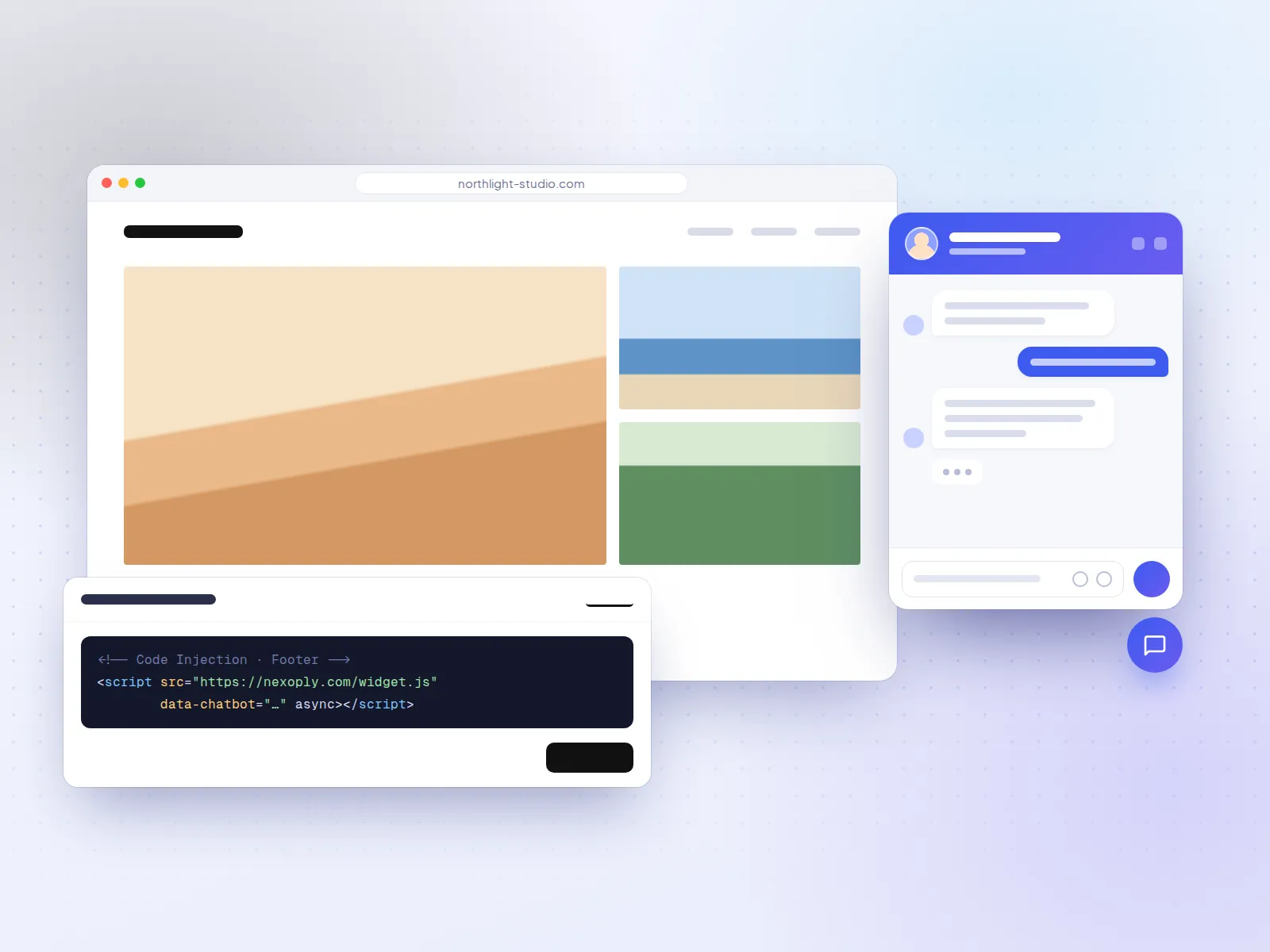
- Squarespace has no built-in visitor chat or AI chatbot: Squarespace AI writes site content for the owner, and LiveChat is the only chat tool in its Extensions list.
- AI chatbots go in through Code Injection (Settings → Advanced → Code Injection → Footer), on the Core, Plus and Advanced plans and some legacy plans, not on Basic.
- Free plans with AI every month: Nexoply (50 conversations), Chatling (200 credits), tawk.to AI Assist (100 credits), Chatbase (50 message credits) and Elfsight (50 messages).
- Removing the vendor's branding ranges from a $14/month add-on (Boei) to $99/month (Chatbase); it's included from Nexoply's Business plan ($49/month).
- Nexoply answers only from your business information, in 12 languages; it has no live-chat inbox and doesn't take bookings itself, but links to your scheduling page.
How we chose these Squarespace chatbots
Squarespace has no app store full of chatbots, so the real choice is among website AI chatbots that work through Code Injection, plus the one chat extension Squarespace lists. On October 7, 2026 we read the Squarespace Help Center articles on code injection, code blocks, extensions and Squarespace AI, and each vendor's pricing page, and compared:
- Who answers: the AI on its own, people on your team in a live-chat inbox, or both.
- Free plan: whether there is one, and whether it includes AI every month or only once.
- Entry price and how the AI is billed: conversations, message credits, credits per reply or AI resolutions.
- Branding: whether the vendor's name shows on your site, and what removing it costs.
- Setup: whether a site owner can set it up and paste it in without a developer.
We say whether each price is billed monthly or annually and link every pricing page. Squarespace's own plan prices showed in another currency from our location, so we link Squarespace's pricing page instead of quoting them.
What Squarespace offers on its own
If you search Squarespace's settings for a chatbot, you won't find one. As of October 7, 2026:
- No visitor chat or AI chatbot. The Squarespace Help Center has no article for a chat feature that talks to visitors.
- Squarespace AI is a writing tool for you, not your visitors. It drafts text in blocks, blog posts and email campaigns, using AI providers that Squarespace names as OpenAI, Anthropic and Google. Squarespace's AI credits pay for those owner-side tools, not for a chat.
- One chat extension. Squarespace Extensions (third-party apps) can be connected on all plans, and the only chat extension in the current list is LiveChat. Tidio, Chatbase, Elfsight and other AI chatbots aren't in the list.
So on Squarespace almost every AI chatbot, Nexoply included, is added the same way: you copy the vendor's script and paste it into Code Injection. That's good news for comparing, because the install is nearly identical for every tool below, and the differences come down to what the chatbot knows, who answers and what it costs.
Code Injection: the plan you need for a chatbot
- Where it goes: Settings → Advanced → Code Injection → Footer. Squarespace places footer code just before the closing </body> tag on every page, which is where a chat script belongs.
- Which plans have it: Squarespace says code injection is available on the Core, Plus, Advanced and some legacy billing plans. It is not on Basic.
- Code blocks don't get around it: on Basic, code blocks accept HTML, Markdown and CSS but not JavaScript, so a chat script can't be added there either. JavaScript in code blocks is allowed on Core, Plus and Advanced and on the legacy Business, Commerce Basic and Commerce Advanced plans.
- Checkout is excluded: Squarespace's checkout pages don't run custom code, so no chat widget appears there.
- You're on your own with the code: Squarespace support can't help add custom code or fix problems it causes. Pick a vendor whose own support helps with installs.
The step-by-step for Nexoply is in our Squarespace install guide; other vendors' scripts go in the same Footer box.
Squarespace AI chatbots at a glance
- ToolNexoply
- Best forSmall business sites that answer on their own
- Free planYes: 50 conversations/month, no card
- Entry price$19/month (Starter), $190 billed yearly
- AI billed byConversations, AI included
- Branding removalIncluded from Business ($49/month)
- ToolTidio (Lyro)
- Best forLive chat plus AI for small teams and shops
- Free planYes: 50 conversations/month; 50 Lyro conversations one-off
- Entry price$29/month billed monthly; Lyro from $39/month
- AI billed byLyro conversations (add-on)
- Branding removalAdd-on from the Growth plan
- ToolChatbase
- Best forOne AI agent for the site and messaging apps
- Free planYes: 50 message credits/month
- Entry price$40/month billed monthly, $32 billed yearly
- AI billed byMessage credits
- Branding removal$99/month add-on
- ToolChatling
- Best forBuilding your own agent with a choice of AI models
- Free planYes: 200 AI credits/month
- Entry price$25/month billed monthly, $21 billed annually
- AI billed byCredits per reply (0.5 to 25 by model)
- Branding removal$35/month add-on, or included on Scale
- Tooltawk.to AI Assist
- Best forFree live chat with AI on top
- Free planYes: live chat free; AI Assist Hobby 100 credits/month
- Entry priceAI Assist Growth $29/month billed monthly
- AI billed by1 credit per AI message
- Branding removal$29/month
- ToolLiveChat (by Text)
- Best forTeams that staff the chat; the only chat extension
- Free planNo (14-day trial)
- Entry price$25 per user/month billed monthly, $19 billed annually
- AI billed byAI resolutions (10 on Essential)
- Branding removalSee LiveChat's pricing page
- ToolBoei
- Best forAI chat plus many contact buttons
- Free planNo (7-day trial, no card)
- Entry price$25/month billed monthly, $19 billed annually
- AI billed by1 credit per AI reply
- Branding removal$14/month add-on, included from Business
- ToolBotsonic
- Best forA simple paid chatbot on a budget
- Free planNo (7-day trial)
- Entry price$19/month billed monthly, $16 billed annually
- AI billed byMessages (1,000 on Starter)
- Branding removal$49/month
- ToolElfsight AI Chatbot
- Best forVery low-traffic sites
- Free planYes: 50 messages and 200 views/month
- Entry price$6/month billed monthly, $5 billed yearly
- AI billed byVisitor messages plus widget views
- Branding removalFrom the $30/month tier billed yearly
- ToolCrisp
- Best forA shared team inbox with AI
- Free planYes, without AI
- Entry price$45/month per workspace billed monthly
- AI billed byAI credits included ($5 on Mini)
- Branding removalPlus plan ($295/month)
| Tool | Best for | Free plan | Entry price | AI billed by | Branding removal |
|---|---|---|---|---|---|
| Nexoply | Small business sites that answer on their own | Yes: 50 conversations/month, no card | $19/month (Starter), $190 billed yearly | Conversations, AI included | Included from Business ($49/month) |
| Tidio (Lyro) | Live chat plus AI for small teams and shops | Yes: 50 conversations/month; 50 Lyro conversations one-off | $29/month billed monthly; Lyro from $39/month | Lyro conversations (add-on) | Add-on from the Growth plan |
| Chatbase | One AI agent for the site and messaging apps | Yes: 50 message credits/month | $40/month billed monthly, $32 billed yearly | Message credits | $99/month add-on |
| Chatling | Building your own agent with a choice of AI models | Yes: 200 AI credits/month | $25/month billed monthly, $21 billed annually | Credits per reply (0.5 to 25 by model) | $35/month add-on, or included on Scale |
| tawk.to AI Assist | Free live chat with AI on top | Yes: live chat free; AI Assist Hobby 100 credits/month | AI Assist Growth $29/month billed monthly | 1 credit per AI message | $29/month |
| LiveChat (by Text) | Teams that staff the chat; the only chat extension | No (14-day trial) | $25 per user/month billed monthly, $19 billed annually | AI resolutions (10 on Essential) | See LiveChat's pricing page |
| Boei | AI chat plus many contact buttons | No (7-day trial, no card) | $25/month billed monthly, $19 billed annually | 1 credit per AI reply | $14/month add-on, included from Business |
| Botsonic | A simple paid chatbot on a budget | No (7-day trial) | $19/month billed monthly, $16 billed annually | Messages (1,000 on Starter) | $49/month |
| Elfsight AI Chatbot | Very low-traffic sites | Yes: 50 messages and 200 views/month | $6/month billed monthly, $5 billed yearly | Visitor messages plus widget views | From the $30/month tier billed yearly |
| Crisp | A shared team inbox with AI | Yes, without AI | $45/month per workspace billed monthly | AI credits included ($5 on Mini) | Plus plan ($295/month) |
Quick picks for Squarespace sites
- Best for small business sites that answer on their own: Nexoply, with answers only from the services, prices and policies you approved, in 12 languages, AI included.
- Best when your team also answers chats: Tidio for small shops; LiveChat for a staffed support or sales desk.
- Best free option with people and AI: tawk.to, with free live chat and 100 AI credits a month.
- Best for building your own agent: Chatling, with a free plan and a choice of AI models; Chatbase if you also want WhatsApp, Messenger or Instagram.
- Cheapest way to drop the vendor's branding: Boei, with a $14/month add-on.
- Lowest paid price for a quiet site: Elfsight, from $5 a month billed yearly.
1. Nexoply: best for sites that answer on their own
Nexoply is an AI assistant for small business websites. You add your services and prices, FAQs, policies, opening hours and service areas, or enter your Squarespace address and let Nexoply read your public pages and suggest them; nothing is added until you approve it. It then answers visitors only from that information, says so when it doesn't know instead of guessing, and keeps every conversation in your dashboard. On Squarespace it's one line in the Code Injection Footer.
- Pricing: Free with 50 conversations a month (no credit card), then Starter $19, Business $49 and Pro $99 a month, with the AI included. Yearly billing gives two months free ($190, $490 or $990 a year). "Powered by Nexoply" is removed from Business. Details on the pricing page.
- Strengths: answers in 12 languages, replying in the visitor's; a message button or side tab you can match to your Squarespace fonts and colours, with a different look on phones; start-screen buttons such as Book (to your Squarespace Scheduling page), Call or WhatsApp; questions it couldn't answer become FAQs in one click; spam protection; sets no cookies.
- Considerations: a website assistant only: no live-chat inbox for your staff, no WhatsApp, Instagram, email or phone channel, no order tracking for Squarespace Commerce, and it doesn't take bookings or payments itself. One chatbot per business. Needs a Squarespace plan with Code Injection (Core or higher).
- Best for: photographers, consultants, wellness studios, salons, restaurants and B&Bs whose visitors ask the same questions about packages, prices, availability and policies.
Install steps: how to add an AI chatbot to Squarespace.
2. Tidio: best when your team also answers chats
Tidio combines live chat, a helpdesk, automation flows and an AI agent called Lyro, which answers from your FAQs, website content and Q&A and hands over to a person when needed. There's no Tidio extension for Squarespace; you paste its script into Code Injection.
- Pricing: Free with 50 billable conversations a month and 50 Lyro conversations one-off (not monthly). Starter $29 a month billed monthly ($24.17 billed annually). The Lyro AI add-on starts at $39 a month billed monthly ($32.50 annually) for 50 Lyro conversations a month. Branding removal is an add-on from the Growth plan. 7-day trial. Tidio pricing.
- Strengths: people and AI in one widget, automation flows, a multichannel inbox and ecommerce integrations.
- Considerations: the AI is a separate add-on with its own meter, and the free AI allowance runs out once. If you only want the site to answer on its own, you also pay for a helpdesk.
- Best for: a small shop or studio with someone free to answer chats in the day. See Nexoply vs Tidio and Tidio alternatives.
3. Chatbase: best for one agent on the site and in messaging apps
Chatbase is a no-code builder for AI agents trained on your website, files, text and Q&A. The same agent can answer in a website widget and on WhatsApp, Messenger, Instagram or Slack, with actions and integrations.
- Pricing: Free with 50 message credits a month, 1 agent and branding that can't be removed (free agents are deleted after 14 days of inactivity). Hobby $40 a month billed monthly ($32 billed yearly) with 700 credits; Standard $150 ($120); Pro $500 ($400). Removing "Powered by Chatbase" is a $99/month add-on. Chatbase pricing.
- Strengths: many channels from one agent, a choice of AI models, actions and integrations.
- Considerations: credits are counted per message, so 50 credits is only a handful of conversations; branding removal costs more than Hobby; more settings than a simple portfolio site needs.
- Best for: businesses that want the same agent on Squarespace and in their messaging apps. See Nexoply vs Chatbase.
4. Chatling: best for building your own agent
Chatling is a no-code builder for website chatbots, with actions and workflows. On paid plans your knowledge base re-syncs automatically, and you choose among many AI models.
- Pricing: Free with 200 AI credits a month, 1 agent and 500,000 characters of knowledge, on the web widget only, with Chatling branding. Starter $25 a month billed monthly ($21 billed annually) with 1,750 credits; Growth $75 ($63); Scale $295 ($246). Removing "Powered by Chatling" is a $35/month add-on, or included on Scale. Chatling pricing.
- Strengths: a free plan with monthly AI credits, over 80 languages, messaging channels on paid plans, a 7-day money-back guarantee on the first purchase.
- Considerations: a reply costs 0.5 to 25 credits depending on the AI model you pick, so credits aren't the same as chats.
- Best for: owners and agencies who enjoy tuning their chatbot's model, prompts and actions.
5. tawk.to AI Assist: best free live chat with AI on top
tawk.to is free live chat, ticketing and a knowledge base for any number of agents. AI Assist is its AI chatbot add-on, which learns from your help center, FAQs, website pages and documents.
- Pricing: live chat is free. AI Assist Hobby is free with 100 message credits a month and up to 100 crawled pages; Growth $29 a month billed monthly ($290 a year) with 1,000 credits and escalation to people; Business $99 ($990). One AI message uses one credit. Removing "Powered by tawk.to" costs $29 a month. tawk.to pricing and AI Assist plans.
- Strengths: free human chat for any team size, a monthly AI allowance at no cost, multilingual AI chat.
- Considerations: when credits run out, AI Assist finishes open chats but doesn't join new ones; AI Assist is bought per property (website).
- Best for: a business with people to answer chats that wants AI to take the simple questions.
6. LiveChat: the only chat tool in Squarespace Extensions
LiveChat, by Text, is live chat for support and sales teams, with an AI agent that resolves simple questions. It's the one chat tool Squarespace lists as an Extension, which Squarespace says can be connected on any plan.
- Pricing: a 14-day free trial. Essential $25 per user a month billed monthly ($19 billed annually) with 1 AI agent and 10 AI resolutions; Growth $99 per user a month billed monthly ($79 annually) with 200 AI resolutions. LiveChat pricing and LiveChat on Squarespace.
- Strengths: a mature live-chat inbox, listed by Squarespace itself, with AI for routine questions.
- Considerations: priced per user, only 10 AI resolutions on Essential, and no free plan. Built for people answering chats, not for an AI that runs alone.
- Best for: businesses with staff whose job includes answering chats, such as an online store with a support person.
7. Boei: best for many contact buttons, and cheap branding removal
Boei combines an AI chatbot with live chat, an inbox and a widget with 50+ contact channels such as WhatsApp, phone and email. It learns from website pages, files (PDF, Word, Excel, text), FAQ documents, pasted text and a product catalogue. Boei is based in Utrecht, in the EU.
- Pricing: no free plan; a 7-day trial without a card, after which the account becomes read-only. Starter $25 a month billed monthly ($19 billed annually) with 1 chatbot and 2,000 AI credits; Growth $69 ($49); Business $179 ($129) with branding removed. On Starter and Growth, branding removal is a $14/month add-on. Boei pricing.
- Strengths: a simple rule (one AI reply uses one credit), the cheapest branding removal we found, unlimited human live-chat messages.
- Considerations: no free plan; when credits run out the chatbot stops replying, though the widget and live chat keep working. Languages weren't stated on the pricing page.
- Best for: a café or B&B whose guests like to choose between WhatsApp, a call and the chat.
8. Botsonic: best simple paid chatbot on a budget
Botsonic, by Writesonic, is a no-code AI chatbot for websites, trained on your pages and documents, with lead-capture forms.
- Pricing: no free plan; a 7-day trial. Starter $19 a month billed monthly ($16 billed annually) with 1,000 messages a month and 1 chatbot; Professional $49 ($41). Removing Botsonic branding costs $49 a month. Botsonic pricing.
- Strengths: a low entry price, sitemap import, WhatsApp, Messenger and Telegram on Starter.
- Considerations: message caps, and removing the branding costs more than the Starter plan itself.
- Best for: a small site that wants a paid chatbot at a low price and doesn't mind the Botsonic link.
9. Elfsight AI Chatbot: lowest paid price for quiet sites
Elfsight makes dozens of no-code website widgets, and its AI Chatbot is one of them. You fill in a knowledge base and paste Elfsight's embed code into Code Injection. Elfsight offers a free installation service on all plans.
- Pricing: "Free forever" with 1 chatbot, 50 visitor messages and 200 widget views a month; going over 200 views temporarily deactivates the widget. Basic $6 a month billed monthly ($5 billed yearly) with 300 messages and 5,000 views; Pro $12 ($10); Premium $24 ($20). White label starts on the $30/month tier billed yearly. Elfsight pricing.
- Strengths: the lowest paid prices in this list, and free installation help.
- Considerations: two meters, messages and widget views; a view counts even when nobody chats, so a portfolio with steady traffic can hit the free limit fast. Languages weren't stated on the pricing page.
- Best for: a small portfolio or local site with little traffic, or a site already using Elfsight widgets.
10. Crisp: best shared team inbox with AI
Crisp is a shared inbox and live chat for teams, priced per workspace instead of per seat, with an AI agent on its paid plans.
- Pricing: Free plan without AI. Mini $45, Essentials $95 and Plus $295 a month per workspace, billed monthly (yearly payment can be switched on later), with AI credits of $5, $25 and $75 (about 90, 450 and 1,350 automated conversations). Removing the Crisp watermark is on Plus. Crisp pricing.
- Strengths: flat pricing for a whole team, many channels (email, Messenger, Instagram, WhatsApp and more), translation in 50+ languages.
- Considerations: no AI on Free and a small AI allowance on Mini; more inbox than a one-person business needs.
- Best for: a small team that shares one inbox for chat, email and social messages.
Other chatbots that work on Squarespace
- Jotform AI Agents: an agent inside the Jotform form builder that can fill in a form with the visitor during the chat. Free on Jotform Starter with 100 conversations a month and Jotform branding; Bronze $39 a month billed monthly ($34 annually), branding removable on every paid plan. Jotform pricing.
- HubSpot: free live chat and basic bots with HubSpot branding, and an AI Customer Agent on Service Hub Professional and Enterprise. Best value if you already run your contacts in HubSpot. HubSpot pricing.
- Dante AI: a free plan with 100 credits a month and no card, website chat only; Starter $40 a month billed monthly ($33 annually), with branding removal as a $50/month add-on there. Dante AI pricing.
All three go in through Code Injection like the tools above. For a wider list that isn't tied to Squarespace, see the best AI chatbots for websites.
Branding and the real monthly cost
A Squarespace site is often the business's shop window, and many owners care how the chat looks. Most chatbots show their own name on free and entry plans, and removing it can cost more than the plan:
- ToolNexoply
- Branding on free or entry plans"Powered by Nexoply" on Free and Starter
- How to remove itIncluded from Business ($49/month, or $490 a year)
- ToolBoei
- Branding on free or entry plansShown on Starter and Growth
- How to remove it$14/month add-on; included from Business
- Tooltawk.to
- Branding on free or entry plans"Powered by tawk.to"
- How to remove it$29/month
- ToolChatling
- Branding on free or entry plans"Powered by Chatling" on Free
- How to remove it$35/month add-on, or included on Scale ($295/month)
- ToolBotsonic
- Branding on free or entry plansShown
- How to remove it$49/month
- ToolChatbase
- Branding on free or entry plansShown, and not removable on Free
- How to remove it$99/month add-on
- ToolTidio
- Branding on free or entry plansShown on lower plans
- How to remove itAdd-on from the Growth plan
- ToolElfsight
- Branding on free or entry plansShown
- How to remove itWhite label from the $30/month tier billed yearly
- ToolCrisp
- Branding on free or entry plansCrisp watermark
- How to remove itPlus plan ($295/month)
| Tool | Branding on free or entry plans | How to remove it |
|---|---|---|
| Nexoply | "Powered by Nexoply" on Free and Starter | Included from Business ($49/month, or $490 a year) |
| Boei | Shown on Starter and Growth | $14/month add-on; included from Business |
| tawk.to | "Powered by tawk.to" | $29/month |
| Chatling | "Powered by Chatling" on Free | $35/month add-on, or included on Scale ($295/month) |
| Botsonic | Shown | $49/month |
| Chatbase | Shown, and not removable on Free | $99/month add-on |
| Tidio | Shown on lower plans | Add-on from the Growth plan |
| Elfsight | Shown | White label from the $30/month tier billed yearly |
| Crisp | Crisp watermark | Plus plan ($295/month) |
Your real monthly cost is two bills: a Squarespace plan with Code Injection (Core or higher), plus the chatbot. Then check what each chatbot counts. Nexoply counts conversations; Chatbase counts every message; Chatling's credits per reply depend on the AI model; Tidio counts its AI conversations separately from its other conversations. For a full breakdown, see how much an AI chatbot costs.
What Squarespace visitors ask
Squarespace is popular with creatives, consultants, wellness studios, restaurants and small hotels. Their visitors ask different things, and the chatbot can only answer what you give it:
- Type of sitePhotographer or design studio
- Typical questions"What's in the wedding package? Do you travel?"
- What to give the chatbotPackages and prices, what's included, travel fees, turnaround times, deposit and booking steps
- Type of siteConsultant or coach
- Typical questions"How does a first session work? What does it cost?"
- What to give the chatbotServices, session lengths and prices, how to book, cancellation policy
- Type of siteWellness studio or salon
- Typical questions"Do you have evening classes? Can I cancel the day before?"
- What to give the chatbotTimetable or opening hours, prices, cancellation and late policy, a link to your booking page
- Type of siteRestaurant or café
- Typical questions"Is there a vegan option? Can I bring a dog?"
- What to give the chatbotMenu with allergens, opening hours, reservations link, parking and accessibility
- Type of siteB&B or small hotel
- Typical questions"What time is check-in? Is breakfast included?"
- What to give the chatbotCheck-in and check-out times, what's included, room types, directions, house rules
- Type of siteCommerce store
- Typical questions"How long is shipping? Can I return this?"
- What to give the chatbotShipping times and costs, returns and refunds policy, sizing; order lookups need a tool that connects to orders
| Type of site | Typical questions | What to give the chatbot |
|---|---|---|
| Photographer or design studio | "What's in the wedding package? Do you travel?" | Packages and prices, what's included, travel fees, turnaround times, deposit and booking steps |
| Consultant or coach | "How does a first session work? What does it cost?" | Services, session lengths and prices, how to book, cancellation policy |
| Wellness studio or salon | "Do you have evening classes? Can I cancel the day before?" | Timetable or opening hours, prices, cancellation and late policy, a link to your booking page |
| Restaurant or café | "Is there a vegan option? Can I bring a dog?" | Menu with allergens, opening hours, reservations link, parking and accessibility |
| B&B or small hotel | "What time is check-in? Is breakfast included?" | Check-in and check-out times, what's included, room types, directions, house rules |
| Commerce store | "How long is shipping? Can I return this?" | Shipping times and costs, returns and refunds policy, sizing; order lookups need a tool that connects to orders |
If you take bookings with Squarespace Scheduling, the chatbot doesn't need to book: Nexoply, for example, can answer the question and show a Book button that opens your scheduling page. Industry examples are in our guides for salons, restaurants and hotels.
Which one fits your Squarespace site
- A one-person business (photographer, coach, therapist) that can't watch a chat window: Nexoply, because it answers on its own from your approved packages and policies. If you want to build and tune the bot yourself, Chatling.
- A studio, salon or restaurant that wants answers at night and in several languages: Nexoply answers in 12 languages, and visitors get replies in theirs.
- A shop or studio with staff on the chat during the day: Tidio, tawk.to or LiveChat, so people and AI share one widget.
- A business that also lives on WhatsApp, Messenger or Instagram: Chatbase, or Boei for contact buttons that send visitors to those apps.
- A very quiet site on a tight budget: Elfsight's free or $5/month plan, as long as views stay within the limit; Nexoply's Free plan if you'd rather count conversations.
- A site on the Basic plan: a chat script can't be added, so upgrade to Core or higher, or look at the LiveChat extension.
- A Squarespace Commerce store that gets "where is my order?" questions: Nexoply can explain your shipping policy and link to your tracking page, but can't look up orders; a helpdesk such as Tidio is a better fit.
How to test a chatbot on Squarespace
Check your plan first
Open Settings → Advanced. If Code Injection is missing or locked, your plan doesn't include it, and no chat script will run.
Try it before it goes live
Most vendors have a preview. With Nexoply, "Open a test page with your chatbot" shows it on a sample page before you touch Squarespace.
Paste the code once, in the Footer
One script, one place. Two copies, or a copy in the Header box as well, don't help.
Ask ten real questions, plus one it can't know
Use questions from your inbox: a photographer's "Do you shoot elopements?", a café's "Do you take reservations?". Then ask for a price you never published: a good chatbot says it doesn't know.
Check on a phone, in a private window
Make sure the button doesn't cover your own buttons and the vendor's branding is acceptable. Remember the chat won't show on checkout pages.
Try Nexoply on your Squarespace site
If your Squarespace plan includes Code Injection, you can try Nexoply for free: create a free account, import your Squarespace site, ask your own questions on a test page, then paste one line into the Footer by following our Squarespace install guide. Running a Wix site too? See the best AI chatbot for Wix. Looking only at free options? See the best free AI chatbots for websites.
Prices and features of other products were checked on October 7, 2026 on their own websites and can change. Sources: Squarespace: code injection · Squarespace: code blocks · Squarespace Extensions · LiveChat Squarespace Extension · Using Squarespace AI · Squarespace AI credits · Squarespace pricing · Tidio pricing · Chatbase pricing · Chatling pricing · tawk.to pricing · tawk.to AI Assist plans · LiveChat pricing · Boei pricing · Botsonic pricing · Elfsight AI Chatbot pricing · Crisp pricing · Jotform pricing · HubSpot Service Hub pricing · Dante AI pricing
Frequently asked questions
What is the best AI chatbot for Squarespace?
For a small business that wants its Squarespace site to answer questions on its own from approved information, Nexoply fits best: free for 50 conversations a month, then from $19 a month with the AI included. Tidio, tawk.to or LiveChat fit better when people also answer chats, and Chatbase or Chatling suit owners who want to build their own agent. As of October 7, 2026.
Does Squarespace have a built-in chatbot?
No. Squarespace has no visitor chat or AI chatbot of its own. Squarespace AI is a writing tool for the site owner, and the only chat tool in Squarespace Extensions is LiveChat. Other chatbots are added with Code Injection.
Which Squarespace plan do I need to add an AI chatbot?
A plan with Code Injection: Core, Plus or Advanced, or some legacy plans such as Business and Commerce. The Basic plan doesn't include Code Injection and doesn't allow JavaScript in code blocks, so a chat script can't be added there.
Can I add a chatbot on the Squarespace Basic plan?
Not with a script. On Basic you can upgrade to Core or higher, or use the LiveChat extension, since Squarespace says extensions can be connected on all plans. Check with LiveChat how its chat appears on a Basic site.
Is there a free AI chatbot for Squarespace?
Several have free plans with monthly AI, as of October 7, 2026: Nexoply (50 conversations), Chatling (200 credits), tawk.to AI Assist Hobby (100 credits), Chatbase (50 message credits) and Elfsight (50 messages and 200 views). Tidio's free AI is one-off. You still need a Squarespace plan with Code Injection.
Is there a Tidio or Elfsight extension for Squarespace?
No. As of October 7, 2026 the only chat extension in Squarespace's list is LiveChat. Tidio, Elfsight, Chatbase, tawk.to, Crisp and Nexoply are added by pasting their script into Code Injection.
Does the chatbot show on Squarespace checkout pages?
No. Squarespace's checkout pages don't support custom code, so a chat added through Code Injection shows on your other pages but not at checkout.
Why is Nexoply listed first?
Nexoply publishes this guide, and it's first for the need it's built for: a small business website that answers questions on its own, from approved information, at a predictable price. For staffed live chat, messaging channels or building a custom agent, the guide recommends other tools.