

In short
For a small business on Wix that wants its website to answer questions on its own, from its own services, prices and policies, Nexoply is the simplest fit: free for 50 conversations a month, then $19, $49 or $99 a month with the AI included, added through Wix's Custom Code. If you'd rather stay inside Wix with no code, try Wix Smart Chat first: it's free to install, but its AI replies use your Wix plan's shared AI credits and the chat goes offline when they run out. Ultimo Bots suits Wix Stores, Bookings and Restaurants sites, and Chatway or LiveChat suit teams that answer chats themselves. Facts checked on October 7, 2026.
- Wix's own chat changed in 2026: Wix AI Site Chat can't be installed on new sites since March 2026, the old Wix Chat is being retired, and Wix Smart Chat replaces both.
- Wix Smart Chat is free to install, but its AI uses the AI credits in your Wix plan (shared with Wix's other AI tools). It was rated 2.7 stars from 155 reviews on October 7, 2026.
- Tidio, Chatbase, Jotform, Crisp, HubSpot and Elfsight have no Wix App Market app: like Nexoply, they go in through Custom Code, which needs a Premium plan with a connected domain.
- Highest-rated App Market chat apps: Chatway (5.0 from 367 reviews, Premium site required) and Ultimo Bots (4.8 from 40, works with Wix Stores, Bookings and Restaurants).
- Nexoply answers only from your business information, in 12 languages, AI included; no live-chat inbox, bookings or order tracking.
How we chose these Wix chatbots
We looked at AI chatbots a Wix site owner can add today: Wix App Market apps, and website chatbots that install with a script through Wix's Custom Code. On October 7, 2026 we read each App Market listing, the Wix Help Center and each vendor's pricing page, and compared:
- How it gets onto Wix: an App Market app, or a script pasted into Custom Code.
- Who answers: the AI on its own, people on your team in a live-chat inbox, or both.
- How the AI is paid for: your Wix plan's AI credits, the app's own plan, conversations, message credits or AI resolutions.
- Free option, entry price and App Market rating, where there is a listing.
Third-party Wix apps show their prices in the visitor's local currency, so we don't quote prices for Chatway, Ultimo Bots and other App Market apps: open each listing to see yours. For script-based tools we quote the vendor's USD pricing and say whether it's billed monthly or annually.
What changed with Wix's own chat in 2026
Many articles still send you to Wix Chat or Wix AI Site Chat. Both are on their way out. According to the Wix Help Center, as of October 7, 2026:
- Wix AI Site Chat (also called the Wix AI chat assistant) can no longer be installed on new sites since March 2026.
- Wix Chat, the manual live chat without AI, is no longer available to install from the App Market and no longer receives updates.
- Wix Smart Chat replaces both. It combines AI chat and manual (live) chat in one app, with four modes: AI around the clock, manual around the clock, scheduled hours, or inactive.
- The AI is now paid with AI credits. Smart Chat no longer has a separate subscription: the AI draws on the AI credits included in your Wix plan, and those same credits pay for Wix's other AI tools. Manual chat is free.
- Some Wix Chat features aren't in Smart Chat yet, including Members Chat, rule-based automations and translation of the chat interface. The AI itself does reply in the visitor's language.
So the question is no longer "which Wix chat app?" but whether Smart Chat's shared credits cover your traffic, or whether you want a chatbot with its own allowance.
Two ways to put an AI chatbot on a Wix site
Every option here reaches your Wix site in one of two ways:
- A Wix App Market app. You install it from the App Market and set it up in your Wix dashboard. Wix Smart Chat, Chatway, Ultimo Bots and LiveChat work this way. Some apps still need a paid site: Chatway's and BestChat's listings say "Premium Site Required".
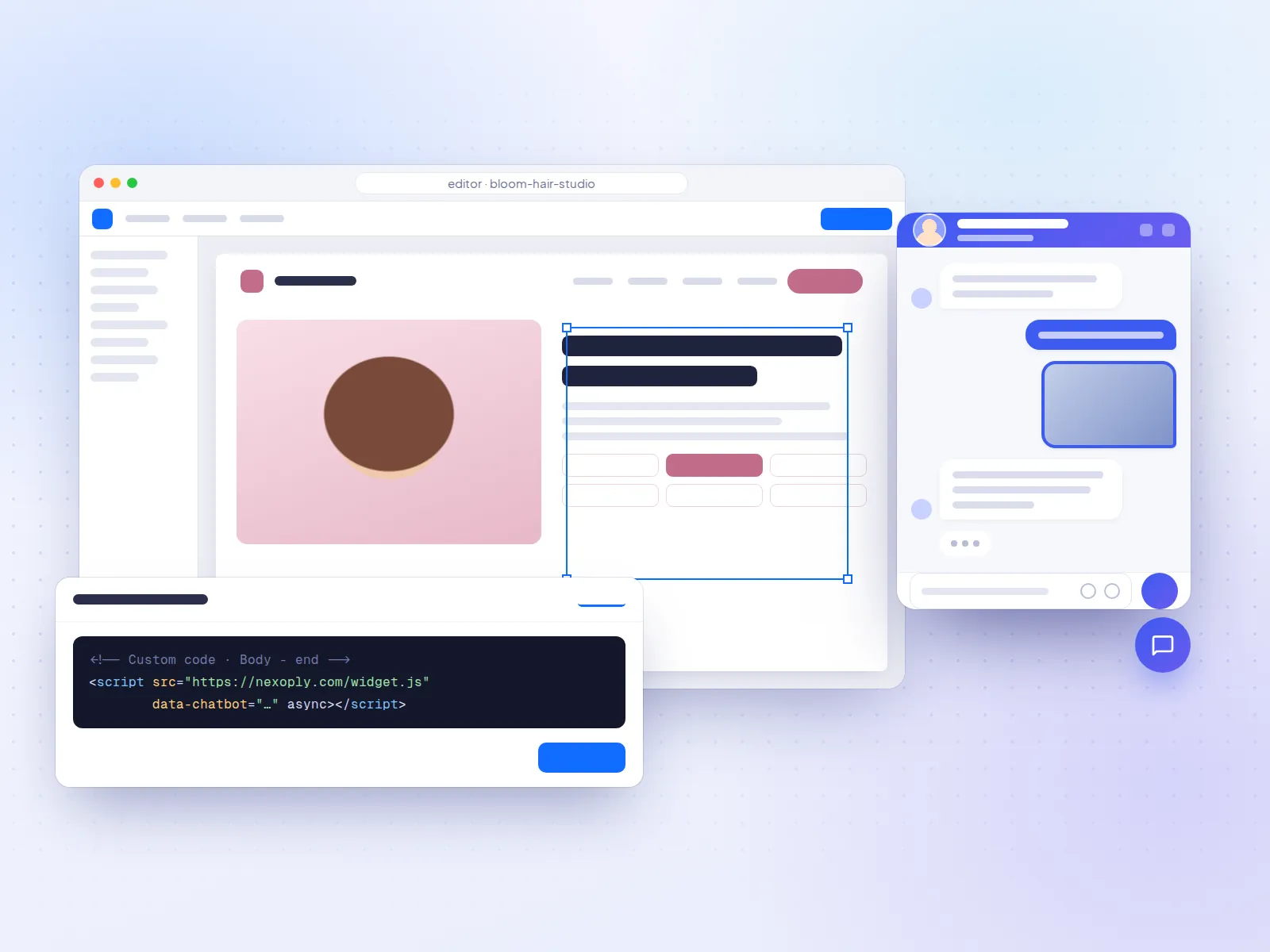
- Custom Code. You paste the vendor's script under Settings → Custom Code. Wix asks for a published site with a connected domain, and connecting a domain needs a Premium plan. The snippet is tied to that domain: if you assign a different domain to the site, Wix deletes your code snippets and you add them again.
Several well-known chatbots have no Wix app at all. On October 7, 2026 we found no App Market listing for Tidio, Chatbase, Jotform AI Chatbot, Crisp, HubSpot chat or Elfsight AI Chatbot. Tidio's old listing no longer loads, although many articles still mention it. All of these go in through Custom Code, exactly like Nexoply, with the same Premium plan and connected-domain requirement. Our Wix install guide shows where to paste the code.
Wix AI chatbots at a glance
- ToolNexoply
- Best forService businesses that want answers only from their own info
- How it gets on WixCustom Code (Premium plan + connected domain)
- Free optionFree plan: 50 conversations/month, no card
- Price and AI billingStarter $19/month ($190 billed yearly); AI included
- ToolWix Smart Chat
- Best forA built-in, no-code start
- How it gets on WixApp Market app by Wix
- Free optionFree to install; trial with 50 conversations in total
- Price and AI billingAI uses your Wix plan's shared AI credits
- ToolChatway
- Best forLive chat, AI and messaging apps in one inbox
- How it gets on WixApp Market (Premium site required)
- Free optionSee the listing
- Price and AI billingPlans on the listing
- ToolUltimo Bots
- Best forWix Stores, Bookings and Restaurants sites
- How it gets on WixApp Market
- Free optionFree plan available
- Price and AI billingPlans on the listing; runs on its own AI, not Wix credits
- ToolLiveChat (by Text)
- Best forTeams that staff the chat
- How it gets on WixApp Market
- Free option14-day free trial
- Price and AI billing$25 per user/month billed monthly ($19 annually); 10 AI resolutions
- ToolTidio (Lyro)
- Best forSmall shops with someone to answer chats
- How it gets on WixCustom Code (no Wix app)
- Free option50 conversations/month; 50 Lyro conversations one-off
- Price and AI billing$29/month billed monthly; Lyro AI from $39/month
- ToolChatbase
- Best forOne AI agent for the website and messaging apps
- How it gets on WixCustom Code (no Wix app)
- Free option50 message credits/month
- Price and AI billing$40/month billed monthly ($32 yearly); message credits
- Tooltawk.to AI Assist
- Best forFree live chat with some AI on top
- How it gets on WixCustom Code (the Wix app is third-party)
- Free optionLive chat free; AI Assist Hobby 100 credits/month
- Price and AI billingAI Assist Growth $29/month billed monthly
- ToolJotform AI Agents
- Best forBusinesses that run on forms
- How it gets on WixCustom Code (no Wix app)
- Free option100 conversations/month
- Price and AI billing$39/month billed monthly ($34 annually)
- ToolElfsight AI Chatbot
- Best forVery low-traffic sites
- How it gets on WixCustom Code (no Wix app)
- Free option50 messages and 200 views/month
- Price and AI billing$6/month billed monthly ($5 yearly)
- ToolCrisp
- Best forA shared team inbox with AI
- How it gets on WixCustom Code (no Wix app)
- Free optionYes, without AI
- Price and AI billing$45/month per workspace billed monthly; AI credits included
| Tool | Best for | How it gets on Wix | Free option | Price and AI billing |
|---|---|---|---|---|
| Nexoply | Service businesses that want answers only from their own info | Custom Code (Premium plan + connected domain) | Free plan: 50 conversations/month, no card | Starter $19/month ($190 billed yearly); AI included |
| Wix Smart Chat | A built-in, no-code start | App Market app by Wix | Free to install; trial with 50 conversations in total | AI uses your Wix plan's shared AI credits |
| Chatway | Live chat, AI and messaging apps in one inbox | App Market (Premium site required) | See the listing | Plans on the listing |
| Ultimo Bots | Wix Stores, Bookings and Restaurants sites | App Market | Free plan available | Plans on the listing; runs on its own AI, not Wix credits |
| LiveChat (by Text) | Teams that staff the chat | App Market | 14-day free trial | $25 per user/month billed monthly ($19 annually); 10 AI resolutions |
| Tidio (Lyro) | Small shops with someone to answer chats | Custom Code (no Wix app) | 50 conversations/month; 50 Lyro conversations one-off | $29/month billed monthly; Lyro AI from $39/month |
| Chatbase | One AI agent for the website and messaging apps | Custom Code (no Wix app) | 50 message credits/month | $40/month billed monthly ($32 yearly); message credits |
| tawk.to AI Assist | Free live chat with some AI on top | Custom Code (the Wix app is third-party) | Live chat free; AI Assist Hobby 100 credits/month | AI Assist Growth $29/month billed monthly |
| Jotform AI Agents | Businesses that run on forms | Custom Code (no Wix app) | 100 conversations/month | $39/month billed monthly ($34 annually) |
| Elfsight AI Chatbot | Very low-traffic sites | Custom Code (no Wix app) | 50 messages and 200 views/month | $6/month billed monthly ($5 yearly) |
| Crisp | A shared team inbox with AI | Custom Code (no Wix app) | Yes, without AI | $45/month per workspace billed monthly; AI credits included |
- App (developer)Wix Smart Chat
- Rating (reviews)2.7 (155)
- Label on the listingFree to install
- App (developer)Chatway AI Live Chat, WhatsApp (Poptin)
- Rating (reviews)5.0 (367)
- Label on the listingPremium Site Required; Verified by Wix
- App (developer)AI Chatbot & Live Chat Agent (Ultimo Bots)
- Rating (reviews)4.8 (40)
- Label on the listingFree plan available; Verified by Wix
- App (developer)Live Chat (LiveChat by Text)
- Rating (reviews)3.9 (74)
- Label on the listing14-day free trial; Verified by Wix
- App (developer)Chat: GPT based conversations (Certified Code)
- Rating (reviews)3.5 (32)
- Label on the listingFree plan available; Verified by Wix
- App (developer)ChatBot AI Assistant For INBOX (BILISIMIN SISTEM)
- Rating (reviews)3.9 (9)
- Label on the listing15-day free trial
- App (developer)Live Chat & AI Chatbot (Ichonic)
- Rating (reviews)4.5 (8)
- Label on the listingPaid; needs your own Gemini API key
- App (developer)BestChat Live chat bot (Bitcloud)
- Rating (reviews)4.6 (7)
- Label on the listingPremium Site Required
| App (developer) | Rating (reviews) | Label on the listing |
|---|---|---|
| Wix Smart Chat | 2.7 (155) | Free to install |
| Chatway AI Live Chat, WhatsApp (Poptin) | 5.0 (367) | Premium Site Required; Verified by Wix |
| AI Chatbot & Live Chat Agent (Ultimo Bots) | 4.8 (40) | Free plan available; Verified by Wix |
| Live Chat (LiveChat by Text) | 3.9 (74) | 14-day free trial; Verified by Wix |
| Chat: GPT based conversations (Certified Code) | 3.5 (32) | Free plan available; Verified by Wix |
| ChatBot AI Assistant For INBOX (BILISIMIN SISTEM) | 3.9 (9) | 15-day free trial |
| Live Chat & AI Chatbot (Ichonic) | 4.5 (8) | Paid; needs your own Gemini API key |
| BestChat Live chat bot (Bitcloud) | 4.6 (7) | Premium Site Required |
Quick picks for Wix sites
- Best for Wix service businesses: Nexoply: answers only from the services, prices and policies you approved, in 12 languages, AI included.
- Best built-in option: Wix Smart Chat, if your plan's AI credits cover your traffic.
- Best for Wix Stores, Bookings or Restaurants: Ultimo Bots, which connects to stock, order tracking, booking times and tables.
- Best-rated App Market chat with messaging channels: Chatway, with WhatsApp, Messenger, Instagram and email in one inbox.
- Best for a team that answers chats: LiveChat, or Tidio for small online shops.
- Best free human live chat: tawk.to with a small free AI allowance.
- Best for one AI agent across the website and messaging apps: Chatbase.
1. Nexoply: best for Wix service businesses
Nexoply is an AI assistant for small business websites. You enter your services and prices, FAQs, policies, opening hours and service areas, or let Nexoply read your Wix site's public pages (including pages built with JavaScript) and approve what it suggests. It then answers visitors only from that information, and says so when it doesn't know instead of guessing. On Wix it goes in through Custom Code: there is no Nexoply app in the App Market.
- Pricing: Free with 50 conversations a month (no credit card), then Starter $19, Business $49 and Pro $99 a month, with the AI included in every plan. Yearly billing gives two months free ($190, $490 or $990 a year). It doesn't use your Wix AI credits. Details on the pricing page.
- Strengths: answers in 12 languages, replying in the visitor's; imports your site and suggests services with prices, FAQs and policies; a button or side tab with a different look on phones; start-screen buttons such as Book (to your Wix Bookings page), Call or WhatsApp; unanswered questions become FAQs in one click; built-in spam protection.
- Considerations: no Wix app, so you need a Premium plan with a connected domain, and you paste the code again if you change domain. It's a website assistant only: no live-chat inbox for your staff, no WhatsApp, Instagram, email or phone channel, no Wix Stores order tracking, and it doesn't take bookings or payments itself. One chatbot per business.
- Best for: salons, plumbers, clinics, restaurants, hotels and gyms whose visitors ask the same questions about prices, hours and policies.
Install steps: how to add an AI chatbot to Wix.
2. Wix Smart Chat: best built-in option
Wix Smart Chat is Wix's own chat app. It answers visitors with AI based on your site content, plus "knowledge rules" and "restriction rules" you write, can recommend products and services from your catalog and send links to your pages, and lets you switch to manual chat. It includes a test mode and analytics.
- Pricing: free to install, with a free trial of 50 conversations in total. After that, AI replies use the AI credits included in your Wix Premium plan. Wix estimates up to 150 Smart Chat actions a month on Light, 200 on Core, 300 on Business and 1,000 on Business Elite, shared with tools such as the AI Custom Agent and AI Marketing Agent. Wix says top-up credits can't currently be bought for Premium plans (you upgrade instead), and when the credits run out, Smart Chat switches to offline mode. Manual chat is free. Smart Chat and AI credits.
- Strengths: native, no code and no extra account; AI and live chat with scheduled hours; conversations in the Wix Inbox; knows your Wix catalog; the manual chat is HIPAA compliant, per Wix.
- Considerations: rated 2.7 stars from 155 reviews on October 7, 2026, and recent reviews are mixed (some owners say the AI label can't be fully hidden in manual mode). The AI shares credits with Wix's other AI tools. The chat interface isn't translated yet. Wix warns the AI may give inaccurate or misleading information, and its AI chat is not HIPAA compliant.
- Best for: Wix sites with modest traffic that want to try AI answers without leaving Wix. Wix Smart Chat listing.
3. Chatway: best-rated App Market chat with messaging channels
Chatway (by Poptin) is an App Market app that combines an AI chatbot, live chat and one inbox for WhatsApp, Messenger, Instagram and email, with an FAQ section inside the chat widget. It's "Verified by Wix".
- Pricing: plan prices are shown on the listing in your local currency. Premium site required. Chatway on the Wix App Market.
- Strengths: the highest rating of the chat apps we checked (5.0 stars from 367 reviews on October 7, 2026); several messaging channels in one place.
- Considerations: built around an inbox, so it works best when someone checks the messages. We didn't verify its AI limits.
- Best for: small teams that also get messages on WhatsApp and Instagram, such as a boutique or a tour operator.
4. Ultimo Bots: best for Wix Stores, Bookings and Restaurants
AI Chatbot & Live Chat Agent by Ultimo Bots learns from your site, products, files and FAQs, and connects to Wix's own business apps: Wix Stores (stock and order tracking), Wix Bookings (open times) and Wix Restaurants (tables). You can take over a chat in person.
- Pricing: free plan available; paid prices on the listing. The listing says it "runs on its own AI, so it never uses up your site's AI credits". Ultimo Bots on the Wix App Market.
- Strengths: the deepest connection to Wix business apps in this list; 4.8 stars from 40 reviews on October 7, 2026; live-chat takeover.
- Considerations: fewer reviews than Chatway or Smart Chat; check the free plan's limits on the listing.
- Best for: Wix Stores shops that get "where is my order?" questions, and restaurants or studios that use Wix Bookings or Wix Restaurants.
5. LiveChat: best for teams that staff the chat
LiveChat, by Text, is a live-chat product for support and sales teams, with an AI agent on top. It has a Wix App Market app.
- Pricing: a 14-day free trial. Essential $25 per user a month billed monthly ($19 billed annually) with 1 AI agent and 10 AI resolutions; Growth $99 per user a month billed monthly ($79 annually) with 200 AI resolutions. LiveChat pricing.
- Strengths: a mature live-chat inbox for agents, with AI for simple questions.
- Considerations: priced per user; only 10 AI resolutions on Essential; 3.9 stars from 74 reviews on the App Market (October 7, 2026). Built for people answering chats, not an AI that runs alone.
- Best for: businesses with staff whose job includes answering website chats.
6. Tidio: best for small shops with someone on chat
Tidio combines live chat, a helpdesk, automation flows and an AI agent called Lyro, which answers from your FAQs, website content and Q&A and hands over to a person when needed. It no longer has a Wix App Market app, so on Wix you paste Tidio's script through Custom Code.
- Pricing: Free with 50 billable conversations a month and 50 Lyro conversations one-off (not monthly). Starter $29 a month billed monthly ($24.17 billed annually). The Lyro AI add-on starts at $39 a month billed monthly ($32.50 annually) for 50 Lyro conversations a month. Branding removal is an add-on from the Growth plan. 7-day trial. Tidio pricing.
- Strengths: people and AI in one widget, ecommerce integrations, automation flows and a multichannel inbox.
- Considerations: needs Custom Code on Wix; the AI is a separate add-on with its own meter.
- Best for: small online shops where someone answers chats in the day and Lyro covers the evenings. See Nexoply vs Tidio.
7. Chatbase: best for one agent across channels
Chatbase is a no-code builder for AI agents trained on your website, files and Q&A. The same agent can run in a website widget and on WhatsApp, Messenger, Instagram or Slack, with actions and integrations. There's no Chatbase Wix app; you add its embed script through Custom Code.
- Pricing: Free with 50 message credits a month (free agents are deleted after 14 days of inactivity). Hobby $40 a month billed monthly ($32 billed yearly) with 700 credits; Standard $150 ($120). Removing "Powered by Chatbase" is a $99/month add-on. Chatbase pricing.
- Strengths: many channels from one agent, a choice of AI models, actions.
- Considerations: credits are per message, and a conversation uses several; more settings than a simple site needs.
- Best for: businesses that want the same AI agent on Wix and in their messaging apps. See Nexoply vs Chatbase.
8. tawk.to AI Assist: best free live chat with AI on top
tawk.to offers free live chat, ticketing and a knowledge base with unlimited agents. AI Assist is its AI chatbot add-on, which learns from your help center, FAQs, website pages and documents. A "Tawk.to" app does exist in the Wix App Market, but it's published by a third party (Dumastar, with no reviews), not by tawk.to, so we'd use tawk.to's own script through Custom Code.
- Pricing: live chat is free. AI Assist Hobby is free with 100 message credits a month; Growth $29 a month billed monthly ($290 a year) with 1,000 credits; Business $99 ($990). One AI message uses one credit. Removing "Powered by tawk.to" costs $29 a month. tawk.to pricing.
- Strengths: free human chat for any team size, a small monthly AI allowance at no cost.
- Considerations: when AI credits run out, AI Assist finishes open conversations but doesn't join new ones.
- Best for: a business with someone to answer chats that wants AI for the simple questions.
9 to 11. Jotform, Elfsight and Crisp: more chatbots that work through Custom Code
These three have no Wix App Market app either, so they go in through Custom Code with the same Premium plan and connected-domain requirement. Each fits a narrower need:
- Jotform AI Agents, if you run on forms: an agent inside the Jotform form builder that can fill in a form with the visitor during the chat. Free on Jotform Starter with 100 conversations a month and Jotform branding; Bronze $39 a month billed monthly ($34 annually) with 1,000 conversations, branding removable on every paid plan. Good for clinics and studios that take intake forms. Jotform pricing.
- Elfsight AI Chatbot, the lowest paid price for quiet sites: you fill in a knowledge base and paste Elfsight's code. "Free forever" with 50 visitor messages and 200 widget views a month, after which the widget is temporarily deactivated; Basic $6 a month billed monthly ($5 billed yearly) with 300 messages and 5,000 views. Watch the two meters: a view counts even when nobody chats. Elfsight pricing.
- Crisp, a shared team inbox with AI: live chat and an inbox priced per workspace, not per seat. Free plan without AI; Mini $45, Essentials $95 and Plus $295 a month per workspace, billed monthly, with AI credits of $5, $25 and $75 (about 90, 450 and 1,350 automated conversations). White label on Plus only. Crisp pricing.
We also checked smaller App Market apps (see the ratings table): Chat: GPT based conversations, ChatBot AI Assistant For INBOX, Ichonic (which needs your own Gemini API key, so you also pay Google for the AI) and BestChat. With so few reviews, test them on your own questions first. HubSpot's free chat and its AI Customer Agent (on Service Hub Professional) also need Custom Code on Wix. HubSpot pricing.
How the AI is paid for on Wix
The biggest difference on Wix is between Smart Chat, which spends your Wix plan's AI credits, and tools that bring their own allowance:
- ToolWix Smart Chat
- What pays for the AIYour Wix plan's AI credits, shared with Wix's other AI tools
- What to watchGoes offline when credits run out; no top-ups on Premium plans
- ToolUltimo Bots
- What pays for the AIThe app's own plan (its own AI, per the listing)
- What to watchPlan limits on the listing
- ToolNexoply
- What pays for the AIConversations included in the plan (50 to 10,000 a month)
- What to watchMessages per conversation: 30 to 60 depending on the plan
- Tooltawk.to AI Assist
- What pays for the AIOne credit per AI message
- What to watchAI stops joining new chats when credits run out
| Tool | What pays for the AI | What to watch |
|---|---|---|
| Wix Smart Chat | Your Wix plan's AI credits, shared with Wix's other AI tools | Goes offline when credits run out; no top-ups on Premium plans |
| Ultimo Bots | The app's own plan (its own AI, per the listing) | Plan limits on the listing |
| Nexoply | Conversations included in the plan (50 to 10,000 a month) | Messages per conversation: 30 to 60 depending on the plan |
| tawk.to AI Assist | One credit per AI message | AI stops joining new chats when credits run out |
Wix Studio sites work differently: Wix says they don't receive AI credits and get AI features at no additional cost. Check Wix's AI credits article for your plan. For a broader look at chatbot pricing models, see how much an AI chatbot costs.
What Wix visitors ask, and which tools can answer
Wix is popular with service businesses, restaurants, studios and small shops. Not every chatbot handles every kind of question:
- What visitors askPrices, packages and opening hours
- What can handle itAny AI chatbot given that information; Nexoply answers only from what you approved
- What visitors askBooking and availability
- What can handle itUltimo Bots reads Wix Bookings open times; Nexoply and others link to your booking page
- What visitors askTables, menus and allergens
- What can handle itUltimo Bots works with Wix Restaurants tables; menu and allergen answers from any chatbot given your menu
- What visitors askOrder status (Wix Stores)
- What can handle itUltimo Bots (order tracking); Nexoply can explain your shipping policy and link to your tracking page, but can't look up orders
- What visitors askSomething only a person can decide
- What can handle itLive chat: Smart Chat's manual mode, Chatway, LiveChat, Tidio, tawk.to, Crisp
- What visitors askQuestions in another language
- What can handle itNexoply (12 languages); Smart Chat's AI replies in the visitor's language, though its interface isn't translated yet
| What visitors ask | What can handle it |
|---|---|
| Prices, packages and opening hours | Any AI chatbot given that information; Nexoply answers only from what you approved |
| Booking and availability | Ultimo Bots reads Wix Bookings open times; Nexoply and others link to your booking page |
| Tables, menus and allergens | Ultimo Bots works with Wix Restaurants tables; menu and allergen answers from any chatbot given your menu |
| Order status (Wix Stores) | Ultimo Bots (order tracking); Nexoply can explain your shipping policy and link to your tracking page, but can't look up orders |
| Something only a person can decide | Live chat: Smart Chat's manual mode, Chatway, LiveChat, Tidio, tawk.to, Crisp |
| Questions in another language | Nexoply (12 languages); Smart Chat's AI replies in the visitor's language, though its interface isn't translated yet |
Which one fits your Wix site
- A salon, plumber or other service business that wants answers at night: Nexoply, or Smart Chat if your plan's credits cover your traffic. Ask both the same ten questions. See the AI chatbot guide for salons.
- A restaurant on Wix Restaurants: Ultimo Bots to work with tables; Nexoply for menu, allergen and hours answers in several languages. See the AI chatbot guide for restaurants.
- A Wix Stores shop: Ultimo Bots for stock and order tracking; Tidio if someone on your team also answers chats. Nexoply only answers the product and policy questions you give it.
- A clinic or therapist: keep health details out of AI chat. Wix says Smart Chat's manual chat is HIPAA compliant but its AI chat is not. Use AI for general questions such as hours and directions. See the AI chatbot guide for clinics.
- A hotel, B&B or tour business with international guests: Nexoply answers in 12 languages. See the AI chatbot guide for hotels.
- A team that wants to answer chats itself: Chatway, LiveChat, Tidio or tawk.to; Smart Chat's manual mode is free.
- A site on Wix's free plan: no Custom Code, so script-based tools wait until you upgrade and connect a domain. Look at App Market apps without the "Premium Site Required" label.
How to test a chatbot on your Wix site
Collect ten real questions
From your inbox and phone calls: a gym's "Can I freeze my membership?", a florist's "Do you deliver on Sundays?".
Test on the live site
Custom code only runs on the published site, not in the Wix Editor or its preview. Use a private window.
Ask something it can't know
Such as a price you never published. A good chatbot says it doesn't know and points to your phone or contact page.
Check it on a phone
Make sure the chat button doesn't cover your own Book or Call buttons.
Work out where the cost comes from
For Smart Chat, check your plan's AI credits and what else uses them. For other tools, price the plan at your real number of chats.
Note your domain
Wix deletes Custom Code snippets when the domain changes, so after a change you paste the code again.
Try Nexoply on your Wix site
If your Wix site has a Premium plan and a connected domain, you can try Nexoply for free: create a free account, import your Wix site, ask your own questions on a test page, then paste one line into Custom Code by following our Wix install guide. For more options, see the best AI chatbots for websites or, for Squarespace, the best AI chatbot for Squarespace.
Prices and features of other products were checked on October 7, 2026 on their own websites and can change. Sources: Wix Smart Chat (Wix App Market) · Wix Smart Chat: an overview · Wix Smart Chat: using AI credits · Wix: about AI credits · Wix: moving from Wix Chat to Wix Smart Chat · Wix: about the Wix AI chat assistant · Wix: embedding custom code on your site · Chatway (Wix App Market) · Ultimo Bots (Wix App Market) · LiveChat (Wix App Market) · LiveChat pricing · Chat: GPT based conversations (Wix App Market) · ChatBot AI Assistant For INBOX (Wix App Market) · Live Chat & AI Chatbot by Ichonic (Wix App Market) · BestChat (Wix App Market) · Tidio pricing · Chatbase pricing · tawk.to pricing · tawk.to AI Assist plans · Jotform pricing · Elfsight AI Chatbot pricing · Crisp pricing · HubSpot Service Hub pricing
Frequently asked questions
What is the best AI chatbot for Wix?
For a service business that wants its Wix site to answer on its own from approved information, Nexoply fits best (free for 50 conversations a month, then from $19 a month with the AI included). Wix Smart Chat is the built-in option, Ultimo Bots suits Wix Stores, Bookings and Restaurants, and Chatway or LiveChat suit teams that answer chats.
Does Wix have its own AI chatbot?
Yes: Wix Smart Chat, which replaced Wix AI Site Chat. Since March 2026, Wix AI Site Chat can't be installed on new sites, and the old Wix Chat is being retired. Smart Chat combines AI and manual chat in one app.
Is Wix Smart Chat free?
It's free to install, with a trial of 50 conversations in total, and manual chat is free. AI replies use the AI credits in your Wix plan, which Wix estimates at up to 150 Smart Chat actions a month on Light and up to 1,000 on Business Elite, shared with Wix's other AI tools. When the credits run out, Smart Chat goes offline.
Does Tidio have a Wix app?
Not as of October 7, 2026: Tidio's old App Market listing no longer loads and a search of the App Market shows no Tidio app. You can still add Tidio to Wix with its script through Custom Code, the same way as Chatbase, Jotform, Crisp, HubSpot, Elfsight and Nexoply.
Do I need a Premium Wix plan for an AI chatbot?
For any chatbot added through Custom Code, yes: Wix requires a published site with a connected domain, which needs a Premium plan. Some App Market apps, such as Chatway, also say "Premium Site Required". Wix Smart Chat is free to install, but its AI runs on your Wix plan's AI credits.
What happens to my chatbot if I change my Wix domain?
Wix ties Custom Code snippets to a domain and deletes them if you assign a different domain to the site. After a domain change, paste your chatbot's code into Custom Code again.
Can an AI chatbot on Wix take bookings or track orders?
Some can. Ultimo Bots connects to Wix Bookings (open times), Wix Restaurants (tables) and Wix Stores (order tracking). Nexoply doesn't take bookings, payments or look up orders; it answers from your information and sends visitors to your booking page, phone or WhatsApp.
Why is Nexoply listed first?
Nexoply publishes this guide, and it's first for the need it's built for: a small business website that answers questions on its own, from approved information, at a predictable price. For built-in Wix chat, Wix Stores order tracking, team live chat or messaging channels, the guide recommends other tools.