

In short
The best AI chatbot for WordPress depends on whether you want to manage an AI key yourself. If you run a small business site and want it to answer visitors on its own from your services, prices and policies, with the AI included, Nexoply is the simplest option: it isn't a plugin, you paste one script tag with a footer plugin such as WPCode, and it's free for 50 conversations a month. If you're comfortable with an OpenAI or other API key, AI Engine is the best-rated AI plugin on WordPress.org (4.9 stars from about 870 ratings); Tidio fits teams that also want live chat and WooCommerce tools; HubSpot fits sites built around a CRM. Installs, ratings and prices below were checked on October 7, 2026.
- Small business site that should answer on its own, no AI key: Nexoply (Free, then $19, $49 or $99/month, AI included), added with WPCode or the theme footer.
- Most popular AI plugin for people with their own API key: AI Engine (90,000+ active installations, 4.9 stars). You pay the AI provider directly.
- Live chat plus AI, with WooCommerce cart and order tools: Tidio (70,000+ installations, 4.8 stars; paid plans from $29/month billed monthly).
- Free live chat with optional paid AI: tawk.to. CRM, forms and chat in one plugin: HubSpot (200,000+ installations).
- Self-hosted WordPress can install any of these; on WordPress.com you need a paid plan (Personal or higher) to add plugins.
How we chose and compared these tools
We looked at AI chatbots you can run on a WordPress site to answer visitors: dedicated chatbot plugins, live-chat plugins with an AI add-on, and hosted chatbots you add with a script. On October 7, 2026 we read each plugin's official WordPress.org listing (the same figures the WordPress.org plugin directory shows) and each vendor's pricing page, and compared:
- Type: a plugin that runs the chatbot inside WordPress, a plugin that connects your site to a hosted service, or a hosted chatbot added with a script tag.
- AI key: whether you must create an account with an AI provider such as OpenAI and pay for usage yourself, or the AI is included.
- Free plan and entry price, with the billing period where the vendor shows it.
- Active installations, rating and number of ratings as shown on WordPress.org, plus the date of the last update.
- WooCommerce: whether the tool can see carts or orders, which matters if your site is a shop.
WordPress.org rounds installation counts ("90,000+") and ratings move every day, so treat them as a snapshot. A rating based on 800 reviews tells you more than a perfect score from one.
The best AI chatbots for WordPress at a glance
- ToolNexoply
- TypeHosted script (no plugin; paste with WPCode or the theme footer)
- Own AI key needed?No, AI included
- Free planYes: 50 conversations/month
- Entry price$19/month (Starter), billed monthly
- Installs & ratingNo WordPress.org listing
- ToolTidio
- TypePlugin + hosted service
- Own AI key needed?No
- Free planYes: 50 conversations/month
- Entry price$29/month billed monthly; Lyro AI from $39/month
- Installs & rating70,000+; 4.8 (395 ratings)
- ToolAI Engine
- TypePlugin (runs in WordPress)
- Own AI key needed?Yes (OpenAI, Anthropic, Google, Mistral…)
- Free planYes (you pay the AI provider)
- Entry pricePro: see the vendor's site
- Installs & rating90,000+; 4.9 (869 ratings)
- ToolHubSpot
- TypePlugin + hosted CRM
- Own AI key needed?No
- Free planYes: live chat and basic bots
- Entry priceAI Customer Agent needs Service Hub Professional
- Installs & rating200,000+; 4.3 (207 ratings)
- Tooltawk.to
- TypePlugin + hosted service
- Own AI key needed?No
- Free planYes: live chat, no AI
- Entry priceAI Assist from $29/month
- Installs & rating100,000+; 4.6 (142 ratings)
- ToolAI Puffer
- TypePlugin (runs in WordPress)
- Own AI key needed?Optional (25 free cloud credits/month, or your own key)
- Free planYes: 25 AI credits/month
- Entry priceSee the vendor's site
- Installs & rating10,000+; 4.6 (166 ratings)
- ToolWPBot
- TypePlugin (runs in WordPress)
- Own AI key needed?Yes, for AI answers (OpenAI, Gemini, OpenRouter or DialogFlow)
- Free planYes: FAQ answers without AI
- Entry pricePro: see the vendor's site
- Installs & rating5,000+; 4.7 (124 ratings)
- ToolJotform AI Chatbot
- TypePlugin + hosted service
- Own AI key needed?No
- Free planYes (Starter plan)
- Entry price$39/month billed monthly ($408/year)
- Installs & rating5,000+; 5.0 (1 rating)
- ToolSmartsupp
- TypePlugin + hosted service
- Own AI key needed?No
- Free planNot checked
- Entry priceNot checked
- Installs & rating20,000+; 4.7 (131 ratings)
- ToolCrisp
- TypePlugin + hosted service
- Own AI key needed?No
- Free planYes, without AI
- Entry price$45/month per workspace
- Installs & rating20,000+; 4.6 (73 ratings); last updated April 2025
- ToolChatbase
- TypePlugin + hosted service
- Own AI key needed?No
- Free planYes: 50 message credits/month
- Entry price$40/month billed monthly
- Installs & rating5,000+; 3.4 (13 ratings); last updated March 2025
| Tool | Type | Own AI key needed? | Free plan | Entry price | Installs & rating |
|---|---|---|---|---|---|
| Nexoply | Hosted script (no plugin; paste with WPCode or the theme footer) | No, AI included | Yes: 50 conversations/month | $19/month (Starter), billed monthly | No WordPress.org listing |
| Tidio | Plugin + hosted service | No | Yes: 50 conversations/month | $29/month billed monthly; Lyro AI from $39/month | 70,000+; 4.8 (395 ratings) |
| AI Engine | Plugin (runs in WordPress) | Yes (OpenAI, Anthropic, Google, Mistral…) | Yes (you pay the AI provider) | Pro: see the vendor's site | 90,000+; 4.9 (869 ratings) |
| HubSpot | Plugin + hosted CRM | No | Yes: live chat and basic bots | AI Customer Agent needs Service Hub Professional | 200,000+; 4.3 (207 ratings) |
| tawk.to | Plugin + hosted service | No | Yes: live chat, no AI | AI Assist from $29/month | 100,000+; 4.6 (142 ratings) |
| AI Puffer | Plugin (runs in WordPress) | Optional (25 free cloud credits/month, or your own key) | Yes: 25 AI credits/month | See the vendor's site | 10,000+; 4.6 (166 ratings) |
| WPBot | Plugin (runs in WordPress) | Yes, for AI answers (OpenAI, Gemini, OpenRouter or DialogFlow) | Yes: FAQ answers without AI | Pro: see the vendor's site | 5,000+; 4.7 (124 ratings) |
| Jotform AI Chatbot | Plugin + hosted service | No | Yes (Starter plan) | $39/month billed monthly ($408/year) | 5,000+; 5.0 (1 rating) |
| Smartsupp | Plugin + hosted service | No | Not checked | Not checked | 20,000+; 4.7 (131 ratings) |
| Crisp | Plugin + hosted service | No | Yes, without AI | $45/month per workspace | 20,000+; 4.6 (73 ratings); last updated April 2025 |
| Chatbase | Plugin + hosted service | No | Yes: 50 message credits/month | $40/month billed monthly | 5,000+; 3.4 (13 ratings); last updated March 2025 |
Quick picks for WordPress sites
- Best for small business sites that should answer on their own: Nexoply. No AI key, no API bills, answers only from your own information, 12 languages.
- Best AI plugin if you have your own API key: AI Engine, the best-rated AI chatbot plugin in this list, with full control over the model and the look.
- Best live chat plus AI for WooCommerce stores: Tidio, which can show carts and order history to your team and has an AI agent (Lyro).
- Best for lead capture with a CRM: HubSpot, whose free plugin brings forms, live chat and bots tied to contact records.
- Best free live chat: tawk.to, with no limits on agents or chats; AI is a paid extra.
- Best way to try AI without an API key inside WordPress: AI Puffer, with 25 free cloud credits a month.
- Best if you already use Jotform: Jotform AI Chatbot, which also offers WooCommerce order tracking.
1. Nexoply: best for small business sites that answer on their own
Nexoply is a hosted AI assistant for small business websites, not a WordPress plugin. You enter your services and prices, FAQs, policies, opening hours and service areas, or let Nexoply read your public pages and suggest them for you to approve. The assistant answers visitors only from that information and says when it doesn't know, pointing to your phone, email or contact page instead of guessing. To put it on WordPress you paste one script tag in the site footer, with a header and footer plugin such as WPCode or in your theme's footer.php.
- Pricing: Free with 50 conversations a month (no credit card), then Starter $19, Business $49 and Pro $99 a month, AI included. Yearly billing gives two months free. See the pricing page.
- Strengths: no AI key or token bills; website import (15 pages on Free, up to 200 on Pro per scan); answers in 12 languages; every conversation in your dashboard, with unanswered questions you can turn into FAQs; built-in spam protection; sets no cookies.
- Considerations: there is no plugin in the WordPress.org directory, so you add it with a footer plugin or the theme. It's a website assistant only: no live-chat inbox for your team, no WhatsApp, Instagram, email or phone channel. It doesn't look up WooCommerce orders and doesn't take bookings or payments (it links to your booking page, phone or WhatsApp). One chatbot per business.
- Best for: plumbers, salons, clinics, restaurants, hotels, gyms and other service businesses on WordPress whose visitors ask about prices, hours, areas and policies.
2. Tidio: best live chat plus AI for WooCommerce
Tidio - Live Chat & AI Chatbots connects your WordPress site to Tidio's hosted live chat, helpdesk and AI agent, Lyro. As of October 7, 2026 it has 70,000+ active installations and 4.8 stars from 395 ratings, last updated September 1, 2026. Its listing describes WooCommerce features: your team can view carts and order history, send product cards and recover abandoned carts.
- Pricing: Free plan with 50 billable conversations a month and 50 Lyro conversations one-off. Starter $29/month billed monthly ($24.17 billed annually). The Lyro AI add-on starts at $39/month billed monthly ($32.50 annually) for 50 Lyro conversations a month. 7-day trial. Tidio pricing.
- Strengths: live chat and AI in one place, WooCommerce tools for your team, other channels such as email, Messenger, Instagram and WhatsApp.
- Considerations: human conversations and AI conversations are counted separately, so the bill grows with traffic; the AI allowance on Free and Starter is one-off, not monthly.
- Best for: WooCommerce shops and small teams with someone available to answer chats.
See our detailed Nexoply vs Tidio comparison.
3. AI Engine: best AI plugin if you bring your own API key
AI Engine by Meow Apps describes itself as "The Chatbot, AI Framework & MCP for WordPress". It is the highest-rated AI chatbot plugin here: 90,000+ active installations and 4.9 stars from 869 ratings, updated October 1, 2026. The chatbot runs inside WordPress and calls the AI model you choose (OpenAI, Anthropic, Google, Mistral and others) with your own API key. You get chatbot themes, voice, file uploads and popup, inline or fullscreen layouts.
- Pricing: the plugin is free, with a Pro version. You pay the AI provider directly for usage; the developer says there is no markup. We couldn't confirm the Pro price and billing terms, so check AI Engine's site.
- Strengths: full control over the model, prompts and design; regular updates; a large toolkit beyond the chatbot.
- Considerations: you need an account and a payment method with an AI provider, and your AI bill depends on traffic. You decide what the chatbot knows and how it behaves, which takes some setup and testing.
- Best for: site owners, freelancers and agencies comfortable with API keys who want to tune everything.
4. HubSpot: best for lead capture with a free CRM
HubSpot All-In-One Marketing - Forms, Popups, Live Chat is a marketing plugin first: it brings HubSpot's free CRM, forms and live chat to WordPress. It has 200,000+ active installations and 4.3 stars from 207 ratings, last updated September 16, 2026. The listing names several bots: concierge, lead qualification, meetings, ticketing, knowledge base and offline.
- Pricing: free tools with HubSpot branding and basic bots. HubSpot's AI Customer Agent is on Service Hub Professional and Enterprise and uses 50 HubSpot credits ($0.50) each time it resolves a conversation without a person; Professional has a one-time onboarding fee. HubSpot pricing.
- Strengths: every chat lands in a CRM contact record; forms, popups and email marketing in the same plugin.
- Considerations: the free tools include only basic bots; the AI agent needs a paid Professional plan. It's more software than a small site needs if you only want questions answered.
- Best for: businesses that already use HubSpot or want leads to go straight into a CRM.
5. tawk.to: best free live chat with optional AI
Tawk.To Live Chat adds tawk.to's free live chat to WordPress: 100,000+ active installations and 4.6 stars from 142 ratings, last updated January 14, 2026. Live chat is free with no limit on agents or chats. AI replies come from a paid add-on, AI Assist.
- Pricing: live chat free. AI Assist from $29/month; removing tawk.to branding is $29/month. See tawk.to pricing for current terms.
- Strengths: genuinely free live chat for any number of agents and chats; a large user base on WordPress.
- Considerations: without the AI add-on, someone has to answer; the free widget shows tawk.to branding.
- Best for: businesses with staff who can answer chats and want to add AI later.
6. AI Puffer: best for trying AI inside WordPress without a key
AI Puffer - AI Chatbot, AI Writer & Automation (formerly AI Power) is both a chatbot and a content writer. It has 10,000+ active installations and 4.6 stars from 166 ratings, updated October 7, 2026. You can start with 25 free AI credits a month through AI Puffer Cloud, with no API key, or connect your own OpenAI, Claude or Gemini key.
- Pricing: 25 free AI credits a month on AI Puffer Cloud; with your own key you pay the AI provider. We didn't verify paid plan prices, so check the vendor's site.
- Strengths: two ways to run the AI; content writing and automation in the same plugin.
- Considerations: 25 credits a month is enough to try it, not to run a busy site; with your own key you manage usage and billing yourself.
- Best for: owners who also want AI writing tools in WordPress and like to experiment.
7. WPBot: best rule-based FAQ bot, with AI on your own key
WPBot by QuantumCloud is a chatbot for live support and lead generation with 5,000+ active installations and 4.7 stars from 124 ratings, updated October 7, 2026. The free version works with built-in FAQ answers you write. AI answers need your own OpenAI, Gemini, OpenRouter or DialogFlow key.
- Pricing: free version on WordPress.org; a Pro version is sold on the developer's site (price not verified). AI usage is billed by your AI provider.
- Strengths: works without AI for simple FAQ flows; choice of AI providers; the same developer makes WoowBot for WooCommerce product search (1,000+ installations, 4.8 stars from 19 ratings).
- Considerations: same as AI Engine: an API key, usage billing and setup are on you.
- Best for: sites that want a simple FAQ bot now and AI later.
8. Jotform AI Chatbot: best if you already use Jotform
Jotform - AI Chatbot adds a Jotform chatbot that trains on your content. Its listing describes WooCommerce features: product questions, order tracking and cart recovery. It has 5,000+ active installations and 5.0 stars, but from a single rating, so the score says little yet. Last updated September 24, 2026.
- Pricing: Jotform's Starter plan is free; Bronze $39/month billed monthly ($408 billed yearly), Silver $49/month ($468/year), Gold $129/month ($1,188/year). We couldn't confirm the free plan's AI limits. Jotform pricing.
- Strengths: pairs with Jotform forms you may already use; WooCommerce order tracking per the listing.
- Considerations: very few WordPress.org ratings; pricing is set by Jotform's overall plans rather than by chatbot usage.
- Best for: Jotform customers and WooCommerce shops that want order tracking from a hosted bot.
9. Smartsupp: live chat with an AI shopping assistant
Smartsupp - live chat, AI shopping assistant and chatbots is aimed at online shops. It combines live chat with "Mira", an AI shopping assistant. It has 20,000+ active installations and 4.7 stars from 131 ratings, updated October 4, 2026.
- Pricing: we didn't verify Smartsupp's prices; check the vendor's pricing page before you decide.
- Strengths: built for e-shops; live chat and AI in one widget; actively maintained.
- Considerations: price not confirmed here; best suited to stores rather than service businesses.
- Best for: WooCommerce shops that want a sales-focused assistant next to live chat.
10. Crisp: team inbox with AI on higher plans
Crisp - Live Chat and Chatbot connects WordPress to Crisp's shared inbox. It has 20,000+ active installations and 4.6 stars from 73 ratings. As of October 7, 2026, the plugin was last updated on April 14, 2025, about 18 months earlier. The Crisp service itself is still sold and works with WooCommerce, but check the plugin's compatibility with your WordPress version before you install it.
- Pricing: Free plan without AI. Mini $45, Essentials $95 and Plus $295 a month per workspace; the autonomous AI Agent is on Plus, and the lower plans include small AI credit allowances. Crisp pricing.
- Strengths: flat pricing per workspace, not per seat; many channels.
- Considerations: the WordPress plugin hasn't been updated recently; the fully autonomous AI is on the most expensive plan.
- Best for: small teams that want a shared inbox for chat, email and social messages.
11. Chatbase: AI agent builder with an older plugin
Chatbase lets you build an AI agent trained on your pages and files, then embed it on WordPress through its plugin. The plugin has 5,000+ active installations and 3.4 stars from 13 ratings, and was last updated on March 3, 2025. You can also add Chatbase with its embed code through a footer plugin, the same way as Nexoply.
- Pricing: Free with 50 message credits a month; Hobby $40, Standard $150 and Pro $500 a month billed monthly, about 20% less billed yearly. Removing "Powered by Chatbase" is a $99/month add-on. Chatbase pricing.
- Strengths: many channels (WhatsApp, Messenger, Instagram, Slack), actions and integrations.
- Considerations: billing in message credits is harder to predict; the WordPress plugin is older and has few ratings.
- Best for: teams that want one AI agent across several channels.
See Nexoply vs Chatbase and our list of Chatbase alternatives.
Other WordPress chat plugins you'll come across
- 3CX Free Live Chat, Calls & Messaging: 100,000+ installations and 4.6 stars from 820 ratings. Live chat and calls; AI isn't its focus.
- WoowBot (AI ChatBot for WooCommerce): 1,000+ installations, 4.8 stars from 19 ratings; a product-search chatbot for WooCommerce from the makers of WPBot.
- Very small listings: Elfsight AI Chatbot (10+ installations), SiteGPT (80+), Zipchat for WooCommerce (70+) and Botsonic (100+, last updated in October 2023) had no ratings on WordPress.org on October 7, 2026, so we couldn't judge them from the directory.
Your own AI key or a hosted chatbot: the difference that matters
WordPress AI chatbots fall into two camps, and the choice affects your monthly bill more than any feature list.
- Examples
- Plugin with your own AI keyAI Engine, WPBot, AI Puffer (own-key mode)
- Hosted chatbot (AI included)Nexoply, Tidio, tawk.to AI Assist, Jotform, Chatbase
- What you set up
- Plugin with your own AI keyAn account with OpenAI, Anthropic, Google or another provider, an API key and a payment method
- Hosted chatbot (AI included)An account with the chatbot vendor
- How you pay for AI
- Plugin with your own AI keyPer token, billed by the AI provider; changes with traffic and model
- Hosted chatbot (AI included)Included in the plan, or an add-on with a set allowance
- Who decides how it answers
- Plugin with your own AI keyYou: prompts, model and settings
- Hosted chatbot (AI included)The vendor's design, plus your information and settings
- Where it runs
- Plugin with your own AI keyInside your WordPress site
- Hosted chatbot (AI included)On the vendor's servers; the widget loads on your pages
| Plugin with your own AI key | Hosted chatbot (AI included) | |
|---|---|---|
| Examples | AI Engine, WPBot, AI Puffer (own-key mode) | Nexoply, Tidio, tawk.to AI Assist, Jotform, Chatbase |
| What you set up | An account with OpenAI, Anthropic, Google or another provider, an API key and a payment method | An account with the chatbot vendor |
| How you pay for AI | Per token, billed by the AI provider; changes with traffic and model | Included in the plan, or an add-on with a set allowance |
| Who decides how it answers | You: prompts, model and settings | The vendor's design, plus your information and settings |
| Where it runs | Inside your WordPress site | On the vendor's servers; the widget loads on your pages |
An own-key plugin can be very cheap on a quiet site and gives you full control. The trade-offs are an extra account to manage, a bill that's hard to predict when traffic spikes, and more testing to keep answers on topic. A hosted chatbot costs a set amount and works without an AI account, but you accept the vendor's limits and pricing. A salon owner who just wants questions about prices and cancellations answered usually prefers the second; a developer building a custom assistant often prefers the first.
WooCommerce stores: who can answer "where is my order?"
WooCommerce has 7,000,000+ active installations, so many WordPress chatbots end up on shops. Shoppers ask two kinds of questions. Policy questions (shipping times and costs, returns, sizes, payment methods) need your information. Order questions ("where is my parcel?") need access to your order data.
- Tools whose listings advertise WooCommerce order or cart features: Tidio (carts, order history, product cards, abandoned-cart recovery), Jotform AI Chatbot (product Q&A, order tracking, cart recovery) and AI Engine Pro (WooCommerce tools). Smartsupp's AI shopping assistant is also aimed at e-shops.
- Nexoply answers policy and product questions from the information you give it, and can send shoppers to your order-tracking page, but it does not look up orders.
If order status is the question you get most, pick a tool with a WooCommerce integration. If most questions are about shipping, returns and products, a chatbot that answers from your own information is enough.
WordPress.com or self-hosted WordPress: what your plan allows
- Self-hosted WordPress (the WordPress.org software on your own hosting): you can install any plugin in this guide, including a footer plugin for a script like Nexoply's.
- WordPress.com: plugins are available on all paid plans (Personal, Premium, Business and Commerce), not only Business. The free plan can't install plugins, so it can't add a chatbot plugin or a third-party chat script. WordPress.com's pricing page says paid plans start at $2.75 a month, billed every three years. WordPress.com plugins.
If you're not sure which you have: if your admin address ends in wordpress.com and you never chose a hosting company, you're on WordPress.com.
Plugin health: what to check on WordPress.org
A chat widget loads on every page, so it's worth a minute on the listing before you install anything.
- Last updated: most plugins here were updated within the last few weeks. Two weren't: Crisp (April 2025) and Chatbase (March 2025). That doesn't mean they're broken, but check the "Tested up to" line against your WordPress version.
- Number of ratings, not just stars: Jotform shows 5.0 stars from one rating; AI Engine shows 4.9 from 869. The second tells you much more.
- Active installations: a large user base usually means problems are found and fixed faster.
- Where the data goes: hosted chatbots send visitor messages to the vendor; own-key plugins send them to the AI provider. Mention the tool in your privacy policy either way.
Adding Nexoply to WordPress without its own plugin
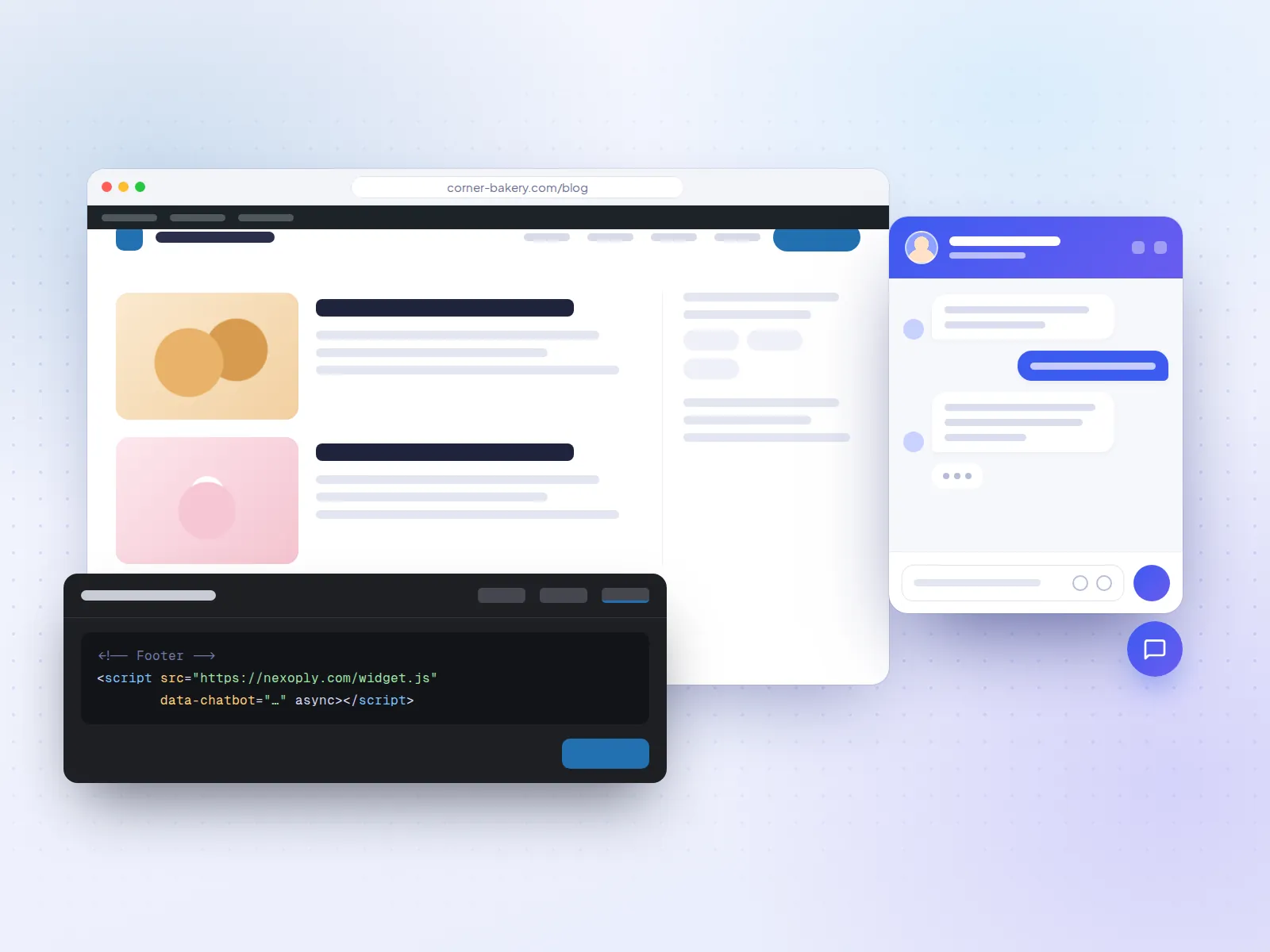
Nexoply has no plugin to install from the directory. Instead you paste one script tag once, just before the closing body tag, and it loads on every page:
<script src="https://nexoply.com/widget.js" data-chatbot="YOUR-KEY" async></script>- With WPCode (recommended): WPCode - Insert Headers and Footers has 3,000,000+ active installations and 4.9 stars from about 1,900 ratings. Paste the code into its Footer box and save. Header Footer Code Manager (600,000+ installations, 4.9 stars) works the same way.
- In the theme's footer.php: paste the code just above the closing body tag. Use a child theme, or the change may be lost when the theme updates.
The widget loads asynchronously, uses a Shadow DOM so your theme's styles don't affect it, and sets no cookies. The full walkthrough is in how to add an AI chatbot to WordPress.
How to test a WordPress chatbot before you commit
Test on a staging copy if you can
Many hosts offer one-click staging. Otherwise install on your live site at a quiet time and check a few pages on a phone.
Ask 10 real questions
Use what customers actually ask: a plumber's "Do you cover my town?", a clinic's "Do you take new patients?", a shop's "How long does delivery to Canada take?".
Ask one it can't know
A price you never published, for example. A good chatbot says it doesn't know and points to your phone or email; a weak one invents an answer.
Check the cost at your traffic
For own-key plugins, look at your AI provider's usage after a week. For hosted tools, compare your monthly chats with the plan's allowance.
Check page speed and the mobile view
Make sure the chat button doesn't cover your menu or cookie banner on phones, and that pages still load quickly.
Try Nexoply on your WordPress site
If your WordPress site belongs to a small business and you want it to answer visitors on its own without managing an AI key, create a free account, import your website, ask your own questions on a test page, then paste the code with WPCode. The step-by-step WordPress guide covers both install methods. For tools beyond WordPress, see the best AI chatbots for websites.
Prices and features of other products were checked on October 7, 2026 on their own websites and can change. Sources: AI Engine on WordPress.org · Tidio on WordPress.org · HubSpot on WordPress.org · Tawk.To on WordPress.org · AI Puffer on WordPress.org · WPBot on WordPress.org · Jotform AI Chatbot on WordPress.org · Smartsupp on WordPress.org · Crisp on WordPress.org · Chatbase on WordPress.org · WPCode on WordPress.org · WooCommerce on WordPress.org · WordPress.com plugins support · WordPress.com pricing · Tidio pricing · HubSpot Service Hub pricing · tawk.to pricing · Jotform pricing · Crisp pricing · Chatbase pricing · AI Engine (Meow Apps)
Frequently asked questions
What is the best AI chatbot plugin for WordPress?
By WordPress.org figures on October 7, 2026, AI Engine is the best-rated AI chatbot plugin (4.9 stars from 869 ratings, 90,000+ installations), but it needs your own AI API key. If you'd rather not manage a key, a hosted option such as Tidio (with the Lyro add-on) or Nexoply (added with a footer plugin) includes the AI.
Is there a free AI chatbot for WordPress?
Yes. Nexoply has a free plan with 50 conversations a month and the AI included. Tidio's free plan includes 50 Lyro AI conversations one-off. AI Puffer gives 25 free AI credits a month. AI Engine and WPBot are free plugins, but you pay your AI provider for usage. tawk.to's live chat is free, with AI as a paid add-on.
Do I need an OpenAI API key for a WordPress chatbot?
Only with some plugins. AI Engine and WPBot need your own key from OpenAI or another provider, and AI Puffer can use one. Hosted chatbots such as Nexoply, Tidio, Jotform and Chatbase run the AI themselves, so you don't need a key.
Does Nexoply have a WordPress plugin?
No. Nexoply installs with one script tag. On WordPress you paste it into the Footer box of a header and footer plugin such as WPCode, or into your theme's footer.php. It then appears on every page.
Can I add an AI chatbot on WordPress.com?
Yes, on any paid WordPress.com plan from Personal up, because those plans can install plugins. The free WordPress.com plan can't install plugins, so it can't add a chatbot plugin or a third-party chat script.
Which WordPress chatbot can track WooCommerce orders?
Among the tools here, Tidio and Jotform AI Chatbot advertise WooCommerce order features on their listings, and AI Engine Pro offers WooCommerce tools. Nexoply answers shipping, returns and product questions from your information and can link to your tracking page, but it doesn't look up orders.
Will a chatbot plugin slow down my WordPress site?
A chat widget adds some code to every page, so test before and after. Hosted widgets that load asynchronously, as Nexoply's does, don't block the page from showing. Plugins that run the AI inside WordPress also use your server when a visitor chats.
Why is Nexoply listed first?
Nexoply publishes this guide and is first for the need it's built for: a small business site that answers visitors on its own, with no AI key to manage. For own-key control, live chat, CRM lead capture or WooCommerce order lookups, the guide recommends other tools.