

In short
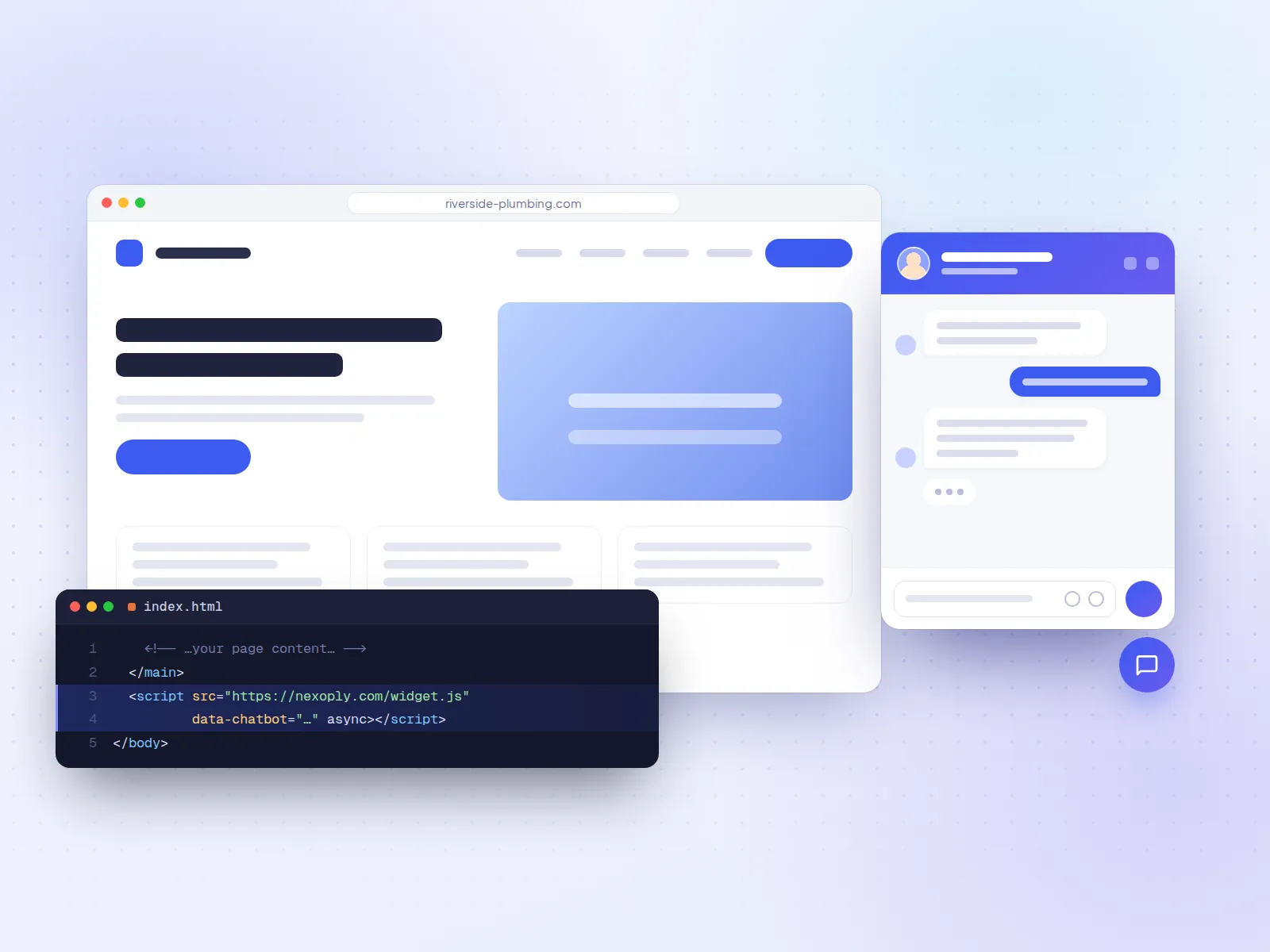
The best AI chatbot for a website learns from your own pages, answers only from them, and says so when it doesn't know. For a small business website, Nexoply is the simplest fit: it imports your website, answers in 12 languages, installs with one line of code, and is free for 50 conversations a month, then from $19 a month with the AI included. Chatbase and Chatling suit people who want to build their own agent for several channels, SiteGPT suits large sites with a lot of documentation, and Tidio or tawk.to suit teams that also want people answering chats. Prices were checked on each vendor's pricing page on October 7, 2026.
- Small business website that should answer on its own: Nexoply (Free with 50 conversations a month, then $19, $49 or $99 a month, AI included).
- Large websites and documentation: SiteGPT (no free plan; Starter $59 a month billed monthly, up to 1,000 pages).
- Build-your-own agent for the website and other channels: Chatbase (from $40 a month) or Chatling (free plan with 200 AI credits a month).
- AI plus people answering chats: Tidio (Lyro AI add-on) or tawk.to (free live chat, AI Assist with a free tier).
- Almost every tool installs with one copied script tag; tawk.to, Jotform, Boei, SiteGPT, Dante AI and Elfsight also have WordPress plugins.
How we compared website chatbots
This guide covers one job: an AI chatbot on your website that answers visitors from your own content. On October 7, 2026 we read each vendor's pricing page (and help center where needed) and compared:
- How it learns your content: a website crawl or import, file uploads, text and Q&A, and whether it re-reads your site when it changes.
- Whether it sticks to your content: answering only from what you gave it, and saying so when the answer isn't there.
- Install: a script tag, a WordPress plugin, or an app for a site builder.
- Languages the chatbot answers in.
- Free plan, entry price and billing unit: conversations, messages, credits or page views, and whether each price is billed monthly or annually.
- Branding removal: what it costs to hide the vendor's "Powered by" link.
We didn't run an accuracy test on every tool, so the tables show what each vendor says. The checklist at the end shows how to test answer quality yourself.
Website AI chatbots at a glance
- ToolNexoply
- Best forSmall business websites
- Free planYes: 50 conversations/month, no card
- Entry price$19/month (Starter), $190 billed yearly
- Branding removalIncluded from Business ($49/month)
- ToolChatbase
- Best forWebsite plus messaging apps
- Free planYes: 50 message credits/month
- Entry price$40/month billed monthly, $32 billed yearly
- Branding removal$99/month add-on
- ToolSiteGPT
- Best forLarge websites and documentation
- Free planNo (7-day trial, card required)
- Entry price$59/month billed monthly, $39 billed annually
- Branding removal$39/month add-on
- ToolChatling
- Best forNo-code builder, many AI models
- Free planYes: 200 AI credits/month
- Entry price$25/month billed monthly, $21 billed annually
- Branding removal$35/month add-on, or included on Scale
- ToolTidio (Lyro)
- Best forLive chat plus AI for shops
- Free planYes: 50 conversations/month; 50 Lyro conversations one-off
- Entry price$29/month billed monthly, plus Lyro from $39/month
- Branding removalAdd-on from the Growth plan
- ToolJotform AI Agents
- Best forBusinesses that use forms
- Free planYes: 100 conversations/month
- Entry price$39/month billed monthly, $34 billed annually
- Branding removalIncluded on every paid plan
- Tooltawk.to AI Assist
- Best forFree live chat with AI on top
- Free planYes: live chat free; AI Assist Hobby 100 credits/month
- Entry priceAI Assist Growth $29/month billed monthly
- Branding removal$29/month
- ToolDante AI
- Best forLead capture and voice
- Free planYes: 100 credits/month, no card
- Entry price$40/month billed monthly, $33 billed annually
- Branding removal$50/month add-on on Starter, included from Advanced
- ToolBoei
- Best forAI plus many contact buttons
- Free planNo (7-day trial, no card)
- Entry price$25/month billed monthly, $19 billed annually
- Branding removal$14/month add-on, included from Business
- ToolBotsonic
- Best forSimple paid chatbot
- Free planNo (7-day trial)
- Entry price$19/month billed monthly, $16 billed annually
- Branding removal$49/month
- ToolElfsight AI Chatbot
- Best forLow-traffic sites
- Free planYes: 50 messages and 200 views/month
- Entry price$6/month billed monthly, $5 billed yearly
- Branding removalFrom the $30/month (yearly) tier
- ToolWonderchat
- Best forAI with handover to a person
- Free planYes: 20 credits (about 10 resolutions)
- Entry price$124/month billed yearly
- Branding removalNot stated on the pricing page
| Tool | Best for | Free plan | Entry price | Branding removal |
|---|---|---|---|---|
| Nexoply | Small business websites | Yes: 50 conversations/month, no card | $19/month (Starter), $190 billed yearly | Included from Business ($49/month) |
| Chatbase | Website plus messaging apps | Yes: 50 message credits/month | $40/month billed monthly, $32 billed yearly | $99/month add-on |
| SiteGPT | Large websites and documentation | No (7-day trial, card required) | $59/month billed monthly, $39 billed annually | $39/month add-on |
| Chatling | No-code builder, many AI models | Yes: 200 AI credits/month | $25/month billed monthly, $21 billed annually | $35/month add-on, or included on Scale |
| Tidio (Lyro) | Live chat plus AI for shops | Yes: 50 conversations/month; 50 Lyro conversations one-off | $29/month billed monthly, plus Lyro from $39/month | Add-on from the Growth plan |
| Jotform AI Agents | Businesses that use forms | Yes: 100 conversations/month | $39/month billed monthly, $34 billed annually | Included on every paid plan |
| tawk.to AI Assist | Free live chat with AI on top | Yes: live chat free; AI Assist Hobby 100 credits/month | AI Assist Growth $29/month billed monthly | $29/month |
| Dante AI | Lead capture and voice | Yes: 100 credits/month, no card | $40/month billed monthly, $33 billed annually | $50/month add-on on Starter, included from Advanced |
| Boei | AI plus many contact buttons | No (7-day trial, no card) | $25/month billed monthly, $19 billed annually | $14/month add-on, included from Business |
| Botsonic | Simple paid chatbot | No (7-day trial) | $19/month billed monthly, $16 billed annually | $49/month |
| Elfsight AI Chatbot | Low-traffic sites | Yes: 50 messages and 200 views/month | $6/month billed monthly, $5 billed yearly | From the $30/month (yearly) tier |
| Wonderchat | AI with handover to a person | Yes: 20 credits (about 10 resolutions) | $124/month billed yearly | Not stated on the pricing page |
- ToolNexoply
- Learns fromWebsite import, your services, prices, FAQs, policies
- InstallOne script tag (no plugin or apps)
- Languages12
- AI billed byConversations
- ToolChatbase
- Learns fromWebsite crawl, files, text, Q&A, Notion
- InstallWidget; also messaging apps
- LanguagesMany
- AI billed byMessage credits
- ToolSiteGPT
- Learns fromLinks, sitemaps, files, YouTube, cloud drives
- InstallScript tag; WordPress plugin
- LanguagesAny
- AI billed byMessages (GPT-4.1 counts 10x)
- ToolChatling
- Learns fromKnowledge base, auto-sync on paid plans
- InstallScript tag
- Languages80+
- AI billed byCredits (0.5 to 25 per reply)
- ToolTidio (Lyro)
- Learns fromFAQs, website scraper, Q&A
- InstallWidget; ecommerce integrations
- LanguagesMultilanguage listed
- AI billed byConversations plus Lyro conversations
- ToolJotform AI Agents
- Learns fromURL crawl, documents, Q&A, forms
- InstallScript tag; WordPress plugin
- LanguagesMultiple
- AI billed byConversations
- Tooltawk.to AI Assist
- Learns fromHelp center, FAQs, website, documents
- InstallScript tag; WordPress plugin
- LanguagesMultilingual AI chat
- AI billed by1 credit per AI message
- ToolDante AI
- Learns fromSources including your website
- InstallOne script line; WordPress plugin
- LanguagesNot stated
- AI billed byCredits (1 to 25 per reply)
- ToolBoei
- Learns fromWebsite, files, product catalogue
- InstallScript tag; WordPress plugin
- LanguagesNot stated
- AI billed by1 credit per AI reply
- ToolBotsonic
- Learns fromPages, documents, sitemaps
- InstallScript tag
- LanguagesNot verified
- AI billed byMessages
- ToolElfsight AI Chatbot
- Learns fromA knowledge base
- InstallScript tag; WordPress plugin
- LanguagesNot stated
- AI billed byMessages plus widget views
- ToolWonderchat
- Learns fromWebsite, documents, tickets
- InstallScript tag
- LanguagesMultilingual responses
- AI billed byMessage credits
| Tool | Learns from | Install | Languages | AI billed by |
|---|---|---|---|---|
| Nexoply | Website import, your services, prices, FAQs, policies | One script tag (no plugin or apps) | 12 | Conversations |
| Chatbase | Website crawl, files, text, Q&A, Notion | Widget; also messaging apps | Many | Message credits |
| SiteGPT | Links, sitemaps, files, YouTube, cloud drives | Script tag; WordPress plugin | Any | Messages (GPT-4.1 counts 10x) |
| Chatling | Knowledge base, auto-sync on paid plans | Script tag | 80+ | Credits (0.5 to 25 per reply) |
| Tidio (Lyro) | FAQs, website scraper, Q&A | Widget; ecommerce integrations | Multilanguage listed | Conversations plus Lyro conversations |
| Jotform AI Agents | URL crawl, documents, Q&A, forms | Script tag; WordPress plugin | Multiple | Conversations |
| tawk.to AI Assist | Help center, FAQs, website, documents | Script tag; WordPress plugin | Multilingual AI chat | 1 credit per AI message |
| Dante AI | Sources including your website | One script line; WordPress plugin | Not stated | Credits (1 to 25 per reply) |
| Boei | Website, files, product catalogue | Script tag; WordPress plugin | Not stated | 1 credit per AI reply |
| Botsonic | Pages, documents, sitemaps | Script tag | Not verified | Messages |
| Elfsight AI Chatbot | A knowledge base | Script tag; WordPress plugin | Not stated | Messages plus widget views |
| Wonderchat | Website, documents, tickets | Script tag | Multilingual responses | Message credits |
Quick picks by type of website
- A local or service business site (plumber, salon, clinic, restaurant, hotel): Nexoply. It imports your services and prices and answers only from them, with the AI included in every plan.
- A large site, help center or documentation: SiteGPT, for its source list and 1,000 pages on the entry plan.
- You want to build and tune the bot yourself: Chatling (generous free plan, many AI models) or Chatbase (many channels and actions).
- Someone on your team also answers chats: Tidio for shops, tawk.to for free live chat.
- You already collect forms: Jotform AI Agents, which can fill a form during the chat.
- You want visitors to choose WhatsApp, phone or chat: Boei.
- Smallest possible paid budget: Elfsight, from $5 a month billed yearly, if your traffic is low.
1. Nexoply: best for small business websites
Nexoply is built for one job: answering visitors on a small business website. You type in, or import from your site, your services and prices, FAQs, policies, opening hours and service areas. The import reads your public pages, including JavaScript-built ones, and adds nothing until you approve it. The assistant answers only from that information, says so when it doesn't know, and can send visitors to the right page.
- Pricing: Free with 50 conversations a month and no credit card. Starter $19, Business $49 and Pro $99 a month billed monthly, or $190, $490 and $990 billed yearly (two months free). The AI is included in every plan. Removing "Powered by Nexoply" is included from Business. See pricing.
- Strengths: website import (15 to 200 pages per scan by plan); 12 languages, answered in the visitor's language; one script tag on any site; the widget loads asynchronously, sets no cookies and can't break your site; unanswered questions become FAQs in one click; built-in spam protection.
- Considerations: it's a website assistant only. There's no live-chat inbox for your staff, no WhatsApp, Instagram, email or phone channel, no order tracking, and it doesn't take bookings or payments (it links to your booking page, phone or WhatsApp). One chatbot per business. There's no WordPress plugin, Shopify app or Wix app: you paste the script tag once.
- Best for: plumbers, salons, clinics, restaurants, hotels and gyms whose visitors ask the same questions about prices, hours and policies. See features.
2. Chatbase: best for one agent on your website and messaging apps
Chatbase builds an AI agent from the sources you add: a crawl of your website, files, text, Q&A pairs or Notion. You put it on your site with a chat widget and can deploy the same agent to WhatsApp, Slack, Messenger or Instagram, with actions and integrations.
- Pricing: Free with 50 message credits a month, 1 agent and 1 MB of training data; free agents are deleted after 14 days of inactivity. Hobby $40 a month billed monthly ($32 billed yearly) with 700 credits, Standard $150 ($120), Pro $500 ($400). Removing "Powered by Chatbase" is a $99/month add-on; extra agents are $25 each a month. Chatbase pricing.
- Strengths: many sources and channels, a choice of AI models, actions, many languages.
- Considerations: credits are per message and a conversation uses several, so 700 credits is not 700 chats; branding removal costs more than Hobby; more settings than a non-technical owner may want.
- Best for: businesses and agencies that want one agent across the website and messaging apps. See Nexoply vs Chatbase and Chatbase alternatives.
3. SiteGPT: best for large websites and documentation
SiteGPT trains a chatbot on your website and documents. It reads links and sitemaps, YouTube videos, files (CSV, TXT, PDF, DOCX, PPTX, Markdown), text, Notion, Google Drive, Dropbox, OneDrive, Box and GitHub. It counts 2,500 cleaned characters of content as one page, and answers in any language.
- Pricing: no free plan; a 7-day trial with a credit card. Starter $59 a month billed monthly ($39 billed annually): 1 chatbot, 1,000 pages, up to 4,000 GPT-4.1-mini or 400 GPT-4.1 messages a month. Growth $129 ($79 annually): 2 chatbots, 10,000 pages, monthly auto-refresh. Branding removal is a $39/month add-on. SiteGPT pricing.
- Strengths: the longest source list here, large page allowances, a WordPress.org plugin, a public demo bot.
- Considerations: the highest entry price here; manual data refresh on Starter; GPT-4.1 messages cost 10 times GPT-4.1-mini ones.
- Best for: software companies, online course creators and businesses with a large help center or many product pages.
4. Chatling: best no-code builder with a usable free plan
Chatling is a no-code builder for website chatbots, with actions, workflows and dozens of AI models. Paid plans re-sync your knowledge base weekly (Starter) or daily (Growth).
- Pricing: Free with 200 AI credits a month, 1 agent, 1 seat and 500,000 characters of knowledge, on the web widget only. Starter $25 a month billed monthly ($21 billed annually) with 1,750 credits; Growth $75 ($63); Scale $295 ($246). A reply costs from 0.5 to 25 credits depending on the model. Removing "Powered by Chatling" is a $35/month add-on, or included on Scale. Chatling pricing.
- Strengths: monthly free AI credits, over 80 languages, WhatsApp, Instagram, Messenger, Telegram and Slack on paid plans, 7-day money-back guarantee.
- Considerations: the cost per reply depends on the model, so credits aren't chats. No WordPress.org plugin; you use the embed snippet.
- Best for: owners and agencies who like to build and tweak their own chatbot.
5. Tidio (Lyro): best when your team also answers chats
Tidio is live chat and a helpdesk with an AI agent, Lyro. Lyro answers from the FAQs, website content and Q&A you give it, and passes the chat to a person when needed. Tidio also has automation flows and a multichannel inbox.
- Pricing: Free with 50 billable conversations a month and 50 Lyro conversations one-off. Starter $29 a month billed monthly ($24.17 billed annually). The Lyro add-on starts at $39 a month billed monthly ($32.50 annually) for 50 Lyro conversations a month. Branding removal is an add-on from Growth (from $59 a month billed monthly). 7-day trial. Tidio pricing.
- Strengths: people and AI in one widget, Shopify and other ecommerce integrations, flows, a multichannel inbox.
- Considerations: the AI is a separate add-on with its own meter, and the free AI allowance is one-off. If you only want the site to answer on its own, you also pay for a helpdesk.
- Best for: online shops and small teams with someone available to answer chats. See Nexoply vs Tidio and Tidio alternatives.
6. Jotform AI Agents: best if you already use forms
Jotform AI Agents run inside Jotform, the form builder. An agent learns from URL crawling, document uploads, text and custom Q&A, as well as from your forms, and can fill a form with the visitor during the chat. It can also run by phone, WhatsApp, Messenger, Instagram, SMS and Shopify.
- Pricing: free on Jotform Starter with 5 active agents and 100 conversations a month (chat and phone combined), with Jotform branding. Paid plans cover all of Jotform: Bronze $39 a month billed monthly ($34 billed annually) with 1,000 conversations, Silver $49 ($39) with 2,500, Gold $129 ($99) with 10,000. Branding is removable on all paid plans. Jotform pricing.
- Strengths: billed per conversation; forms built in; a WordPress.org plugin (about 5,000 active installs); multiple languages.
- Considerations: Starter's form limits (5 forms, 100 submissions a month) are separate; best value if you use Jotform anyway.
- Best for: clinics, schools and service businesses that take intake forms, quote requests or registrations.
7. tawk.to AI Assist: best free live chat with AI on top
tawk.to is free live chat, ticketing and a knowledge base for any number of agents. AI Assist is its AI chatbot add-on. It learns from your help center, FAQs, website (it crawls your pages) and uploaded documents.
- Pricing: live chat is free. AI Assist Hobby is free with 100 message credits a month, 1 AI agent and up to 100 crawled pages. Growth $29 a month billed monthly ($290 a year) adds 1,000 credits and escalation to human agents; Business $99 ($990). Each AI message uses 1 credit. Removing "Powered by tawk.to" costs $29 a month. tawk.to pricing and AI Assist plans.
- Strengths: free live chat with unlimited agents; the most installed WordPress plugin here (100,000+ active installs); multilingual AI chat.
- Considerations: when credits run out, AI Assist finishes open chats but doesn't join new ones; AI Assist is bought per property (website).
- Best for: businesses with people to answer chats who want AI to cover the simple questions.
8. Dante AI: best for lead capture and voice
Dante AI is an AI agent for website chat, phone (voice) and an inbox, with lead capture. It learns from knowledge sources including your website, which it re-reads weekly on Advanced and daily on Pro. It installs with one line of script.
- Pricing: Free "$0 forever" with no card: 1 agent, 100 credits a month (one reply per credit on the free models), 150K characters of knowledge, website chat only. Starter $40 a month billed monthly ($33 billed annually) with 2,000 credits; Advanced $120 ($100) adds human handover and lead capture and removes branding. On Starter, branding removal is a $50/month add-on. Dante AI pricing.
- Strengths: a monthly free plan, voice, lead capture, white label, a WordPress.org plugin.
- Considerations: a reply costs 1 to 25 credits by model (on Starter about 2,000 light-model replies or 80 premium); at 0 credits the agent shows "This AI agent is offline". Languages not stated.
- Best for: businesses that want names and phone numbers from visitors, such as a renovation company taking quote requests.
9. Boei: best AI chatbot with many contact buttons
Boei combines an AI chatbot with live chat, an inbox and a widget with 50+ contact channels, such as WhatsApp, phone and email. It learns from website pages, files (PDF, Word, Excel, plain text), FAQ documents, pasted text and a product catalogue. Boei is based in Utrecht, in the EU.
- Pricing: no free plan; a 7-day trial without a card, after which the account becomes read-only. Starter $25 a month billed monthly ($19 billed annually): 1 chatbot, 2,000 AI credits, 1,000 training pages, 1 live-chat agent. Growth $69 ($49). Branding removal is a $14/month add-on on Starter and Growth, included on Business ($179, or $129 billed annually). Boei pricing.
- Strengths: one AI reply uses one credit, the cheapest branding removal we found, a WordPress.org plugin (about 900 active installs).
- Considerations: no free plan; when credits run out the chatbot stops replying (live chat keeps working); languages not stated.
- Best for: local businesses whose customers like to pick a channel, such as a restaurant where some guests want WhatsApp and others want to call.
10. Botsonic: best simple paid chatbot on a budget
Botsonic, by Writesonic, is a no-code AI chatbot for websites, trained on your pages and documents (you can upload a sitemap), with lead-capture forms.
- Pricing: no free plan; a 7-day trial. Starter $19 a month billed monthly ($16 billed annually) with 1,000 messages a month and 1 chatbot; Professional $49 ($41). Branding removal costs $49 a month. Botsonic pricing.
- Strengths: low entry price, sitemap import, WhatsApp, Messenger and Telegram on Starter.
- Considerations: message caps, and removing the branding costs more than the Starter plan. We didn't verify the list of languages.
- Best for: a small site that wants a paid chatbot at a low price and doesn't mind the Botsonic link.
11. Elfsight AI Chatbot: lowest paid entry for low-traffic sites
Elfsight makes more than 80 no-code website widgets, and its AI Chatbot is one of them. You fill a knowledge base and paste Elfsight's embed code. Elfsight offers a free installation service on all plans.
- Pricing: "Free forever" with 1 chatbot, 50 visitor messages and 200 widget views a month; going over 200 views temporarily deactivates the widget. Basic $5 a month billed yearly ($6 billed monthly) with 3 chatbots, 300 messages and 5,000 views; Pro $10 ($12); Premium $20 ($24). White label starts on the $30/month tier billed yearly. Elfsight pricing.
- Strengths: the lowest paid prices here, a WordPress.org plugin, free installation help.
- Considerations: two meters, messages and widget views; a view counts even when nobody chats, so a busy site hits the limit quickly. Languages and website reading not stated.
- Best for: low-traffic sites, and sites that already use other Elfsight widgets.
12. Wonderchat: best for AI with handover to a person
Wonderchat is an AI support agent for websites with handover to a human. Its feature list includes website crawling, document ingestion, support tickets, scheduled sync and multilingual responses.
- Pricing: Free with 20 credits (about 10 resolutions a month, by Wonderchat's own estimate), 1 agent and 50 webpages stored, including human handover and file uploads. Basic $124 a month billed yearly with 5,000 credits, 2 agents and 1,000 webpages per agent; yearly billing saves 17%. We couldn't confirm monthly-billing prices or branding removal. Wonderchat pricing.
- Strengths: handover even on Free; SOC 2 and HIPAA on Enterprise.
- Considerations: a small free allowance, a big step to paid, and some figures on the page didn't match.
- Best for: support teams that want to try AI with handover before committing.
Other website chatbots we checked
- CustomGPT.ai: answers with citations, for mid-size and larger organisations; 90+ languages. No free plan (7-day trial, card required). Standard $99 a month billed monthly ($89 annually) for 1,000 queries; branding removal from Premium ($499). CustomGPT.ai pricing.
- FastBots: reads websites and documents, 95 languages. New accounts get a 14-day trial, not a free plan. Essential $39 a month billed monthly ($33 annually). FastBots pricing.
- LiveChatAI: AI chatbot plus live chat, with a free plan; Basic $39 a month billed monthly. LiveChatAI pricing.
- Denser.ai: free plan with 20 queries a month; Starter $39 a month billed monthly. Denser.ai pricing.
- Chatsimple: now Expertise AI, an enterprise platform with demo-only pricing. Expertise AI pricing.
Looking only at free plans? See the best free AI chatbots for websites, which compares exactly what each free plan includes and what happens when you reach its limit.
How a website chatbot learns your content
Every tool above gets its knowledge in one or more of three ways:
- A website crawl or import: you enter your address and the tool reads your pages. Check how many pages your plan reads (Nexoply 15 to 200 per scan, tawk.to's free AI tier up to 100, SiteGPT 1,000 on Starter) and whether it re-reads them when your site changes (Chatling weekly or daily, Dante AI weekly or daily, SiteGPT monthly from Growth).
- Files and text: PDFs, Word documents, price lists and menus. Useful for anything that isn't on your website, such as a hotel's late check-out rules.
- Questions and answers you write: the surest way to control the exact answer to "How much is an emergency call-out?" or "Can I cancel 24 hours before?".
A crawler stores the text of each page; Nexoply's import also suggests services with prices, FAQs, policies and hours for you to approve, so an outdated page doesn't slip in unnoticed.
Then the chatbot should answer from that content only, and admit when the answer isn't there. Picture a salon that lists colour from $80 but never published a keratin price. A good chatbot says it doesn't have that price and offers the phone number; a weak one invents a figure. Test this yourself with the checklist below.
Website chatbot or live chat: which do you need?
- A website AI chatbot answers on its own, from your content, at any hour. Nobody has to watch it. You pay per conversation, message or credit.
- Live chat connects the visitor to a person on your team. A person can handle anything, including unusual requests, but only while someone is there. It's usually priced per seat, though tawk.to's live chat is free.
- Both in one widget: Tidio, tawk.to, Boei and Wonderchat combine AI answers with people answering in the same widget. On tawk.to the handover to people starts on the paid Growth AI plan, and on Dante AI on Advanced.
A plumber under a sink or a hairdresser with a client can't reply to a chat window, so a chatbot that answers alone is practical. A shop with someone at a desk may want both. Nexoply is AI only: no inbox for staff; it points visitors to your phone, email, WhatsApp or booking page when they need a person.
How to add an AI chatbot to your website
Set the chatbot up first
Add or import your content and test it on the vendor's preview page before it goes live.
Copy the embed code
Almost every tool gives you one script tag. Nexoply's looks like this: <script src="https://nexoply.com/widget.js" data-chatbot="YOUR-KEY" async></script>.
Paste it once, on every page
Put it just before </body>, usually in your site builder's footer code or custom code setting, so it appears site-wide.
Or use a plugin if there is one
tawk.to, Jotform, Boei, SiteGPT, Dante AI and Elfsight have WordPress.org plugins that add the code for you. Nexoply has no plugin: on WordPress you paste the tag with a header and footer plugin such as WPCode.
Publish and check
Open your site on a phone, ask a question, and confirm it appears in the dashboard.
Our install guides show where the code goes on each platform. They're written for Nexoply, but the same setting works for most script-tag chatbots:
- Add an AI chatbot to WordPress (and the best AI chatbots for WordPress)
- Add an AI chatbot to Wix: custom code needs a Wix premium plan with a connected domain
- Add an AI chatbot to Squarespace: code injection needs the Business plan or higher
- Add an AI chatbot to Shopify (and the best AI chatbots for Shopify)
- Add an AI chatbot to Webflow
- Add an AI chatbot to any HTML website
- For developers: React, Next.js and Vue or Nuxt
What to check on a website chatbot
Test accuracy with 10 real questions
Take them from your inbox or phone calls: a clinic's "Do you see new patients on Saturdays?", a restaurant's "Do you have a vegan menu?", a hotel's "What time is check-out?". Compare each answer with your own information.
Ask something it can't know
For example a service you don't offer, or a price you never published. The right answer is "I don't have that information" plus a way to reach you.
Switch languages
Ask the same question in the languages your customers use, and check the answer is correct, not just translated.
Price it at your traffic
Estimate your chats per month and questions per chat, then check what each tool's unit means for you (see the table below).
Look at it on a phone
Check the button doesn't cover your own buttons, the chat window is readable, and whether the vendor's branding shows on your plan.
Read the conversations
Make sure you can see every conversation and spot questions it couldn't answer, so you can fill the gaps.
- Billing unitConversations
- ToolsNexoply, Jotform AI Agents
- Usage in the example300 conversations
- Billing unitOne credit per AI reply
- ToolsBoei, tawk.to AI Assist, Dante AI on light models
- Usage in the exampleAbout 900 credits
- Billing unitCredits that depend on the AI model
- ToolsChatling, Dante AI
- Usage in the exampleFrom about 450 credits (0.5 per reply) to 22,500 (25 per reply)
- Billing unitVisitor messages plus widget views
- ToolsElfsight
- Usage in the exampleAbout 900 messages, plus every page view that loads the widget
- Billing unitMessage credits
- ToolsChatbase
- Usage in the exampleMore than one credit per conversation (a conversation uses several messages)
| Billing unit | Tools | Usage in the example |
|---|---|---|
| Conversations | Nexoply, Jotform AI Agents | 300 conversations |
| One credit per AI reply | Boei, tawk.to AI Assist, Dante AI on light models | About 900 credits |
| Credits that depend on the AI model | Chatling, Dante AI | From about 450 credits (0.5 per reply) to 22,500 (25 per reply) |
| Visitor messages plus widget views | Elfsight | About 900 messages, plus every page view that loads the widget |
| Message credits | Chatbase | More than one credit per conversation (a conversation uses several messages) |
Try Nexoply on your own website
If you run a small business and want your website to answer visitors on its own, you can try Nexoply for free with no card: create a free account, enter your website address to import your services, prices and FAQs, ask your own test questions on a test page, then paste one line of code into your site. See how it works, or compare budgets in the best AI chatbots for small business.
Prices and features of other products were checked on October 7, 2026 on their own websites and can change. Sources: Chatbase pricing · SiteGPT pricing · Chatling pricing · Tidio pricing · Jotform pricing · Jotform AI Agents · tawk.to pricing · tawk.to AI Assist plans · Dante AI pricing · Dante AI credits · Boei pricing · Botsonic pricing · Elfsight AI Chatbot pricing · Wonderchat pricing · CustomGPT.ai pricing · FastBots pricing · LiveChatAI pricing · Denser.ai pricing · Expertise AI (formerly Chatsimple) pricing
Frequently asked questions
What is the best AI chatbot for a website?
It depends on the site. For a small business website that should answer visitors on its own from its services, prices and policies, Nexoply is built for that job, with a free plan and the AI included from $19 a month. For a large documentation site, SiteGPT; to build an agent for several channels, Chatbase or Chatling; to combine AI with people answering chats, Tidio or tawk.to.
Can an AI chatbot learn from my website automatically?
Yes. Most tools here read your pages when you enter your website address: Nexoply, Chatbase, SiteGPT, tawk.to AI Assist, Jotform, Boei and Wonderchat all list a website crawl or import. Check how many pages your plan reads and whether it re-reads them when you update your site.
Is there a free AI chatbot for my website?
Yes, as of October 7, 2026: Nexoply (50 conversations a month), Chatling (200 AI credits a month), tawk.to AI Assist Hobby (100 credits a month), Jotform AI Agents (100 conversations a month), Dante AI (100 credits a month), Chatbase (50 message credits a month) and Elfsight (50 messages and 200 views a month), among others. Each limits usage differently; see the best free AI chatbots for websites.
How do I add an AI chatbot to my website?
Copy the embed code the tool gives you, usually one script tag, and paste it once just before </body> in your site builder's footer or custom code setting. Some tools also have a WordPress plugin. Our guides show the exact steps for WordPress, Wix, Shopify and any other website.
Will a website chatbot make up answers?
It can, which is why you should test it. A good website chatbot answers only from the content you gave it and says when it doesn't know. Nexoply is instructed to do that; like any AI it isn't perfect, so every conversation can be reviewed and gaps filled. Ask each tool a question it can't know before you choose.
Why is Nexoply listed first?
Nexoply publishes this guide, and it's first for the need it's built for: a small business website that answers visitors on its own, at a low, predictable price. For large documentation sites, multichannel agents, live chat teams or form-based workflows, this guide recommends other tools.